
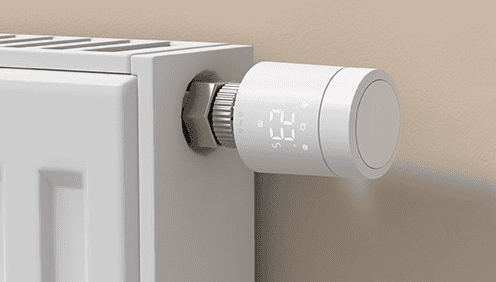
What Is the Aqara Radiator Thermostat W600?
With winter on the way and energy bills not showing any signs of falling, many people are looking for simple ways to heat their homes more efficiently without sacrificing comfort. Smart radiator valves are one of the easiest upgrades, letting you control temperatures room by room using your phone, tablet or a voice assistant.
Aqara’s new Radiator Thermostat W600 aims to take that idea a step further. It supports Thread, Zigbee 3.0 and Matter, promises up to two years of battery life, and offers fine temperature control in 0.5°C steps. On paper it looks like a well-rounded smart TRV, so I’ve been testing it with the Aqara Hub M100 in a fairly typical UK setting to see how it actually performs.
Disclosure: Aqara provided the W600 and Hub for review and sponsored the coverage. Opinions remain independent.
Aqara W600 Design and Build Quality
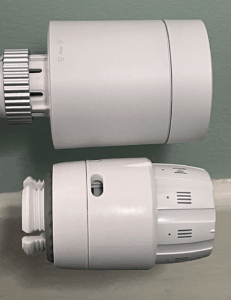
Straight out of the packaging, the Aqara W600 gives the impression of a more premium TRV rather than an entry-level accessory. The compact, matte-white body looks smart on the radiator and doesn’t draw attention to itself, which is ideal for most living rooms and bedrooms. It’s roughly the same size as the standard Danfoss head it is replacing, so it doesn’t feel oversized or out of place.
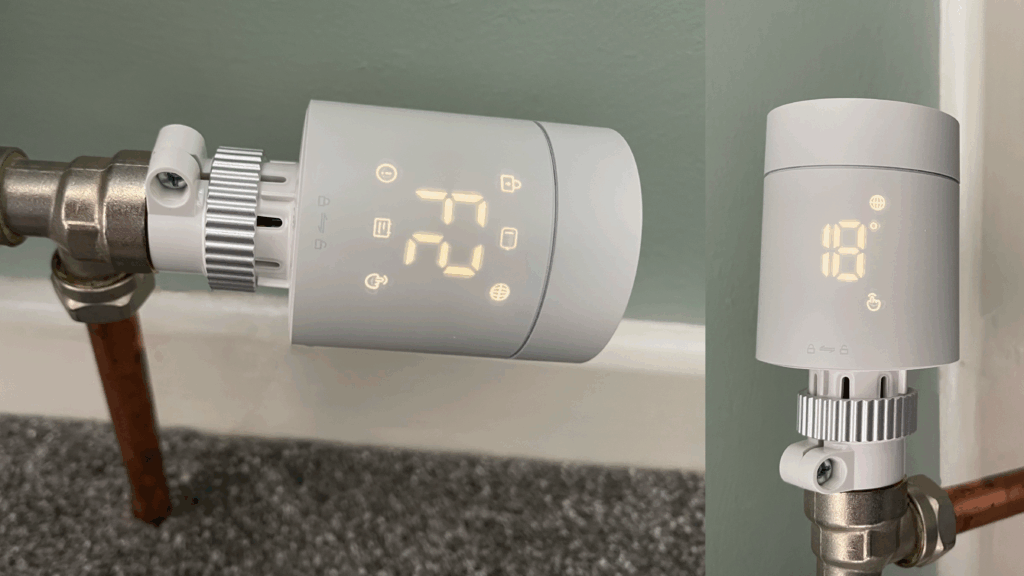
The front display is bright and easy to read, showing target temperature and status icons. Aqara has kept the controls simple: one sturdy button and a smooth rotary ring, both of which feel reassuringly firm.
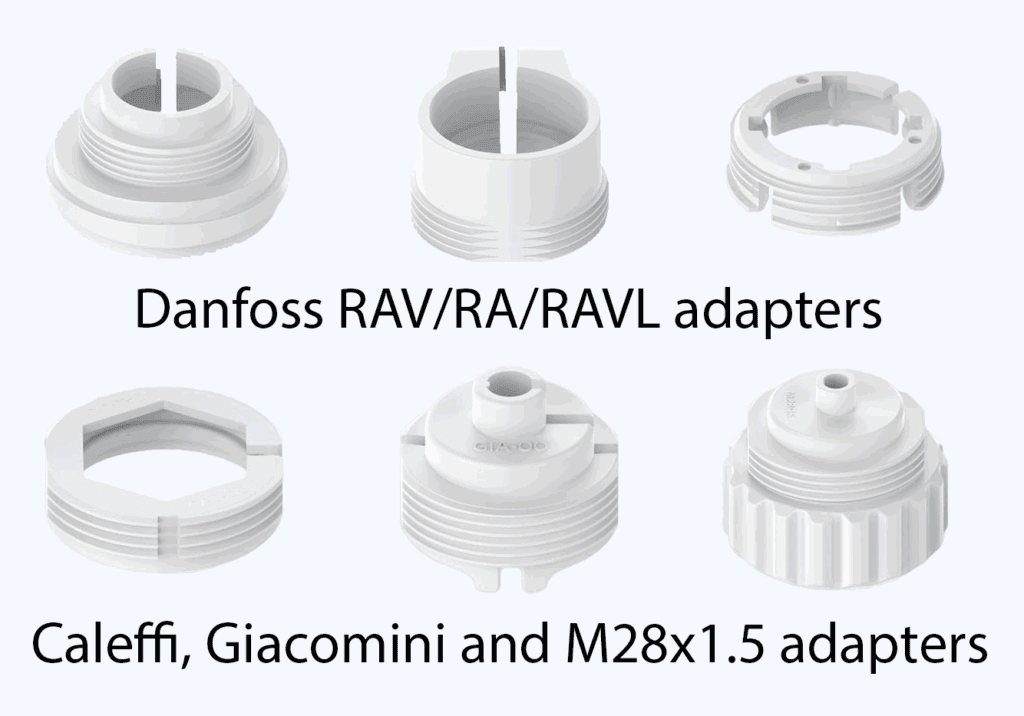
The TRV itself uses the common M30x1.5 mm thread, but you also get six adapters in the box, covering Danfoss RAV/RA/RAVL, Caleffi, Giacomini, M28x1.5 and Oventrop M30x1.5. This variety of threads covered suits the majority of radiators in Europe and the UK.
A small but welcome detail is the metal mounting nut – a step up from the plastic ones you often see. It attaches cleanly and gives the whole assembly a more solid, premium feel.
Aqara claims noise levels of under 30 dB, and that matches my experience. Even in a quiet bedroom, sat directly next to the valve, the motor’s movement is barely noticeable. Noise is a common complaint among ‘smart’ TRVs, so I was impressed at how quiet the W600 is. The valve runs on AA batteries and includes a battery indicator on the display.
Installing the Aqara W600: Setup, Calibration and Compatibility
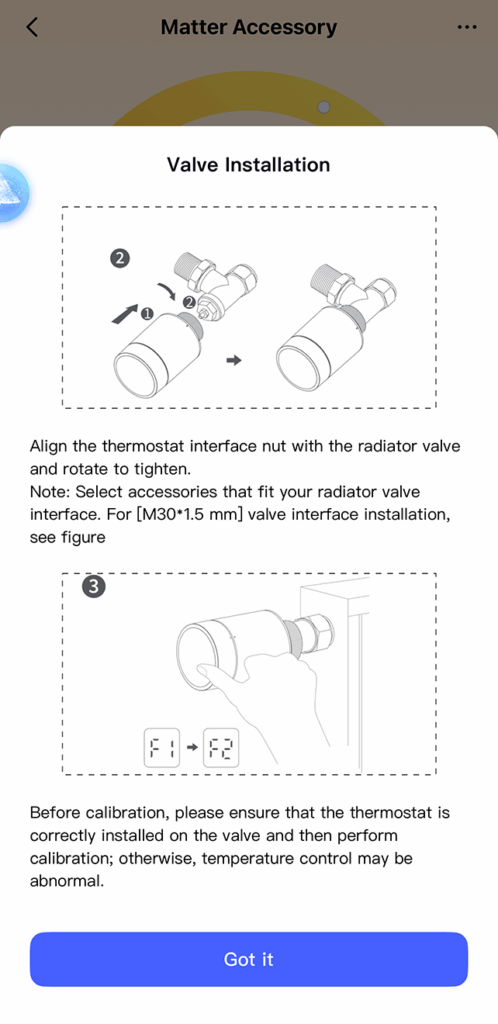
Fitting the valve is straightforward. The metal nut threads on cleanly, and the included adapters cover most TRV bodies you’re likely to find in a UK home. In my case I needed the Danfoss RA adapter. It slips over the existing body and locks solidly with a small screw. With the adaptor in place, the valve attaches securely.
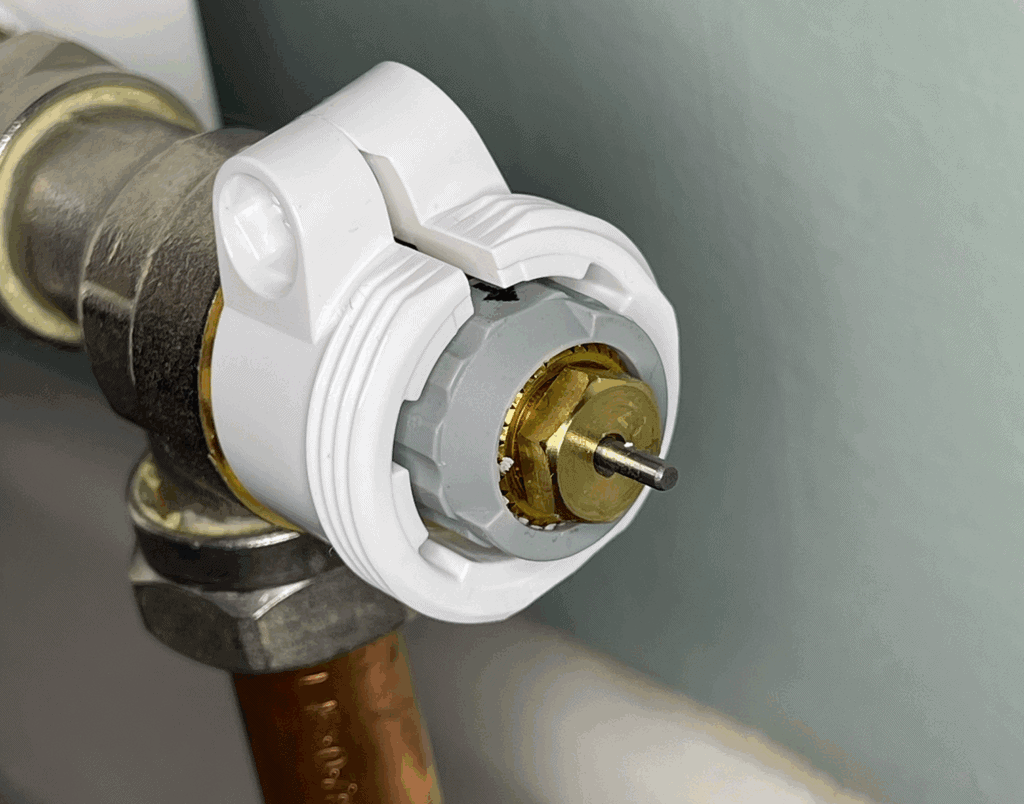
Once fitted, the W600 performs an automatic calibration, allowing it to learn how far the pin can travel. The rest of the setup runs through the Aqara Home app, which guides you through pairing it with an Aqara Hub.
The W600 works with Zigbee 3.0 and Thread, it can easily be integrated into Apple Home, Google Home, Samsung SmartThings, Home Assistant, Alexa without an extra hub. That means you can add it to routines, trigger it with other sensors, or just ask a voice assistant to adjust the temperature.
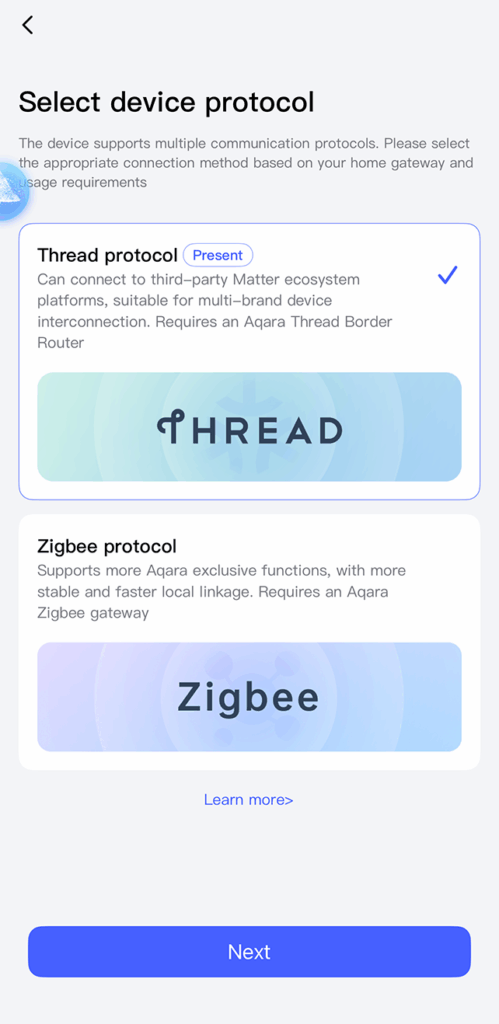
During the installation process in the Aqara Home app, you’re given the choice to use either Thread or Zigbee. I selected to install using the Thread protocol. The app prompts you to enter the pairing number from the device (printed within the instructions), then asks you to name the valve as well as assigning it to a room. From there pairing completes and the W600 is presented to you in the app ready to use.
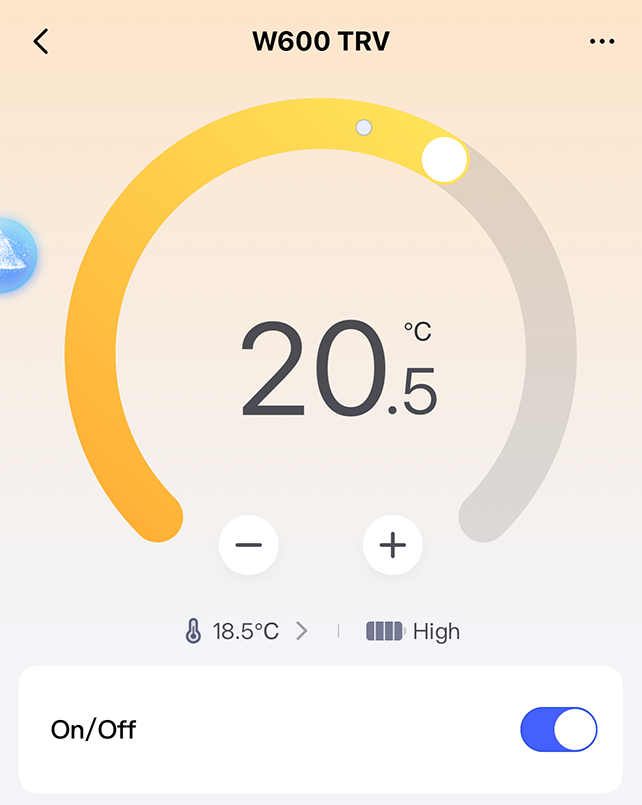
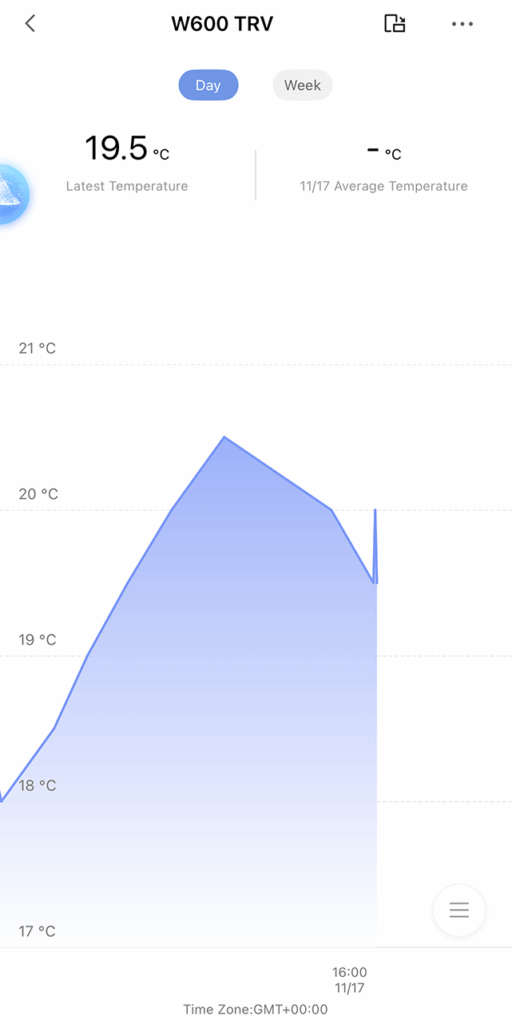
During testing there were no issues with connection stability – every change was picked up quickly, even with the hub on a different floor and multiple rooms away.
Aqara Radiator Thermostat W600 Features and Day to Day Use
Once everything’s connected, the W600 feels very capable. A few features stand out:
Precise Temperature Control
You can set temperatures in 0.5°C increments, and the motor adjusts smoothly and quietly rather than jerking from one position to another.
Heating Schedules
You can create schedules with up to seven time periods per day, with separate profiles for different rooms. It’s simple but flexible enough for most households.
Open-Window Detection
This worked reliably during testing. When the valve detects a sudden temperature drop, it pauses heating to avoid wasting energy.
Frost Protection and Child Lock
Useful to have, especially in rarely used rooms or children’s bedrooms.
In everyday use, the valve is extremely quiet, and the screen wakes briefly when you adjust the temperature.
Heating Performance and Smart Home Integration
Performance has been consistently solid. The W600 responds quickly to commands and sticks to schedules accurately. Temperature readings matched closely with a separate thermometer, though radiator position will always influence this. If needed, you can set a temperature offset in the app or link an external Aqara temperature sensor for better accuracy in larger rooms.
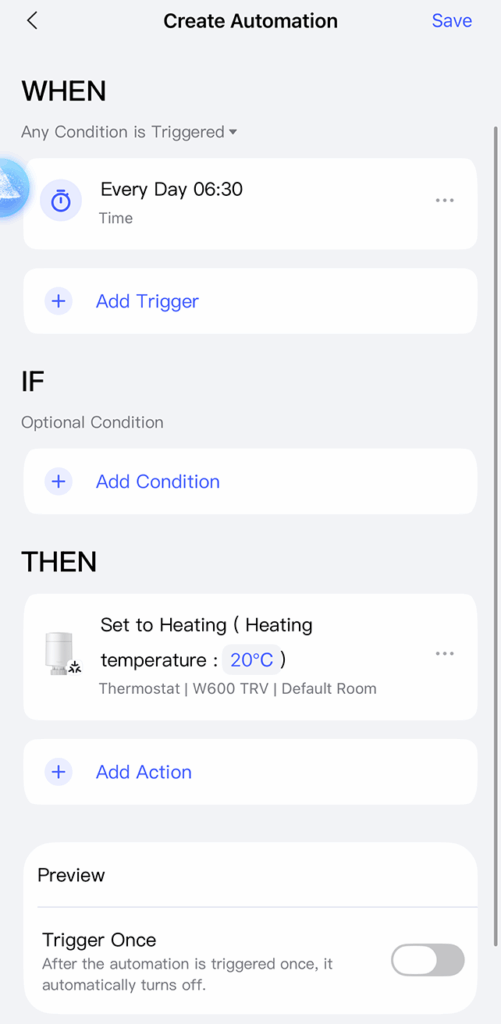
It’s worth noting that the W600 controls only the radiator valve itself – it doesn’t switch the boiler on or off. The radiator will heat only when the central heating is already running. However, if you use an Aqara Hub or third party solution (for example Home Assistant), you can set up automations to trigger the heating when a room calls for heat. In the event you already have a smart thermostat controlling your boiler, the W600 can work alongside it: automations can be set so that when the W600 requests heat, your main thermostat triggers the heating to meet that demand. To fully the experience the full functionality, it’s necessary to use Zigbee mode to connect to an Aqara Hub.
Connectivity throughout the house stayed stable, and I didn’t run into any drop-outs or missed commands, which is very impressive.
Aqara W600: Verdict
The Aqara Radiator Thermostat W600 manages to combine quiet operation, solid build quality, reliability and wide compatibility in a package that feels well thought out. It’s ideal for anyone already using Aqara gear or planning a wider Matter compatible smart home setup. For anyone trying to squeeze more efficiency out of their home heating or just wanting easier room-by-room control, it offers a tidy, practical upgrade with very little hassle – exactly what a smart radiator valve should do.
You can find out more information and purchase options for the Aqara Radiator Thermostat W600 here.