Search results
-
T
Texecom 48 install....East London
Hi Alarm Not sure what you mean by that..... The other 3 wireless items are all Ok and working fine. Just this one particular wireless door mag seems to be the issue. I have actually swapped this out for new unit....same prob Removed it and re-learnt the device still the same prob.- Tazer
- Post #164
- Forum: Alarms, CCTV & Telephones
-
T
Texecom 48 install....East London
Hi All/ Adrian Im back again. Alarm is all up and running with the help of Adrian. As previously mentioned had one small issue with the wireless magnetic door contact on the 2nd main door. Had abit of time today to mess around with the system and still cant get it to work. The error...- Tazer
- Post #162
- Forum: Alarms, CCTV & Telephones
-
T
Texecom 48 install....East London
TBH its been really excellent here on this forum. Without I would have been lost and pretty much not had a clue what to do. Pretty much learnt everything from here. Tested the alarm and so far so good, no problems besides the credit running out the pay as you go sim card :lol: Also...- Tazer
- Post #160
- Forum: Alarms, CCTV & Telephones
-
T
Texecom 48 install....East London
Hi Adrian Thanks for all the help, after so many months I feel more comfortable that we now have a working system. I guess its better calling you rather then Tech Support :D within in mins got the system working The other thing you need to do is a receive page for the wireless items to...- Tazer
- Post #154
- Forum: Alarms, CCTV & Telephones
-
T
Texecom 48 install....East London
Hi Adrian No it's just the wireless expander. I guess that's where the main issue is as the panel seems to be working fine. If the same problem persists then I will get the panel changed.- Tazer
- Post #149
- Forum: Alarms, CCTV & Telephones
-
T
Texecom 48 install....East London
Thanks Adrain. Ive ordered the new panel, they said it will take abit of time as none in stock. Once received I will then send the faulty one back. When I do the new install is it worth removing all devices and then relearning them. Also do I just put it into commision mode i.e. switch...- Tazer
- Post #147
- Forum: Alarms, CCTV & Telephones
-
T
Texecom 48 install....East London
Hi All Another day another attempt. Rang up Texecom today and not much help, totaly baffled on why its not working. Put the system into walktest mode from the keypad and no response from any of the wireless items. Guy goes he really hasn't a clue what else could be wrong with the item...- Tazer
- Post #145
- Forum: Alarms, CCTV & Telephones
-
T
Texecom 48 install....East London
Hi Alarm Not a prob, will do. I have upgraded the Wintex software to the latest build which is 5.5 build 7. Still experiencing the same probs.- Tazer
- Post #143
- Forum: Alarms, CCTV & Telephones
-
T
Texecom 48 install....East London
Hi Guys, Same old same prob. Left the system Part armed for 30-40mins, opened the door and still nothing. Amazing how a small thing like this has taken over everything. Last piece left to sort out on the alarm..... Thanks Adrian, that would be excellent. If your in London then Im more...- Tazer
- Post #141
- Forum: Alarms, CCTV & Telephones
-
T
Texecom 48 install....East London
Hi Sparkymarka As its testing, the part alarm is switched on and then door is open within a couple of mins. The longest is probably 5mins or so. Ive now set the alarm and will give it say 30-40 odd mins and see what happens. Hi Billybonga The system looks pretty good. I know when I...- Tazer
- Post #138
- Forum: Alarms, CCTV & Telephones
-
T
Texecom 48 install....East London
Hi All, Been battling all morning trying to work out whats going on. After playing around this morning decided to call texecom support. Excellent guy who guided me through the following changes So...the Wintex version I have is 5.5 build 5. Thats the problem for showing incorrect...- Tazer
- Post #135
- Forum: Alarms, CCTV & Telephones
-
T
Texecom 48 install....East London
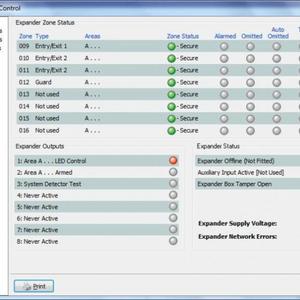
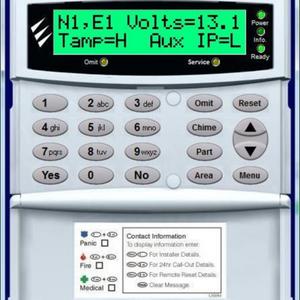
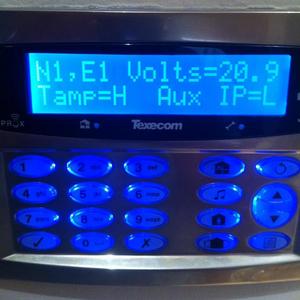
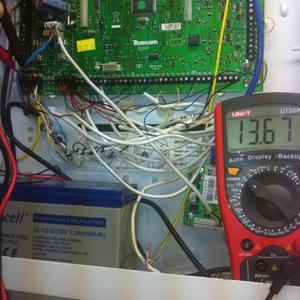
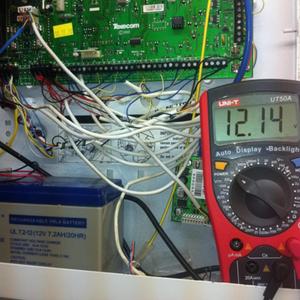
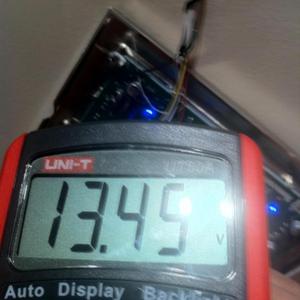
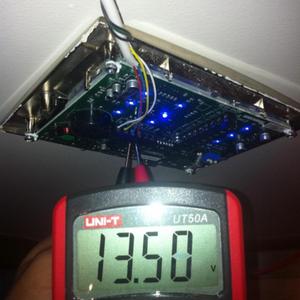
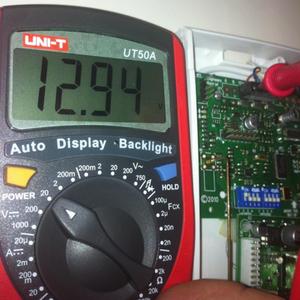
Hi All Ok, managed to test all items starting off with the Expander. Expander is showing me 12.94 volts. So now, I really dont what is going on and why wintex as well as the keypad is showing me incorrect readings. I then tested everything with the multimeter: Wireless 32XP Expander...- Tazer
- Post #132
- Forum: Alarms, CCTV & Telephones