Search results
-
T
Texecom 48 install....East London
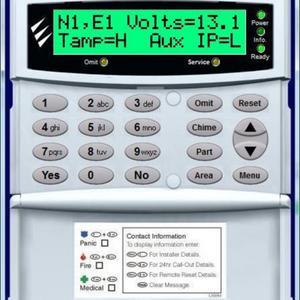
Hi All Thanks for the input. Will pop down to the shops and buy a new meter, previous one probably thrown out due to the refurb. I have one main battery which I think is a 12V battery. The mains supply to the alarm is a dedicated power cable directly from the Fuse box sitting on a 6 amp...- Tazer
- Post #131
- Forum: Alarms, CCTV & Telephones
-
T
Texecom 48 install....East London
Hi Guys Sorry to be pain, just been doing some further reading in the main manual and came across this on page 29 Expander Expander does not operate at all • Check that the expander is wired correctly from the control panel (see page 13 for wiring details) • Check the network fuses...- Tazer
- Post #126
- Forum: Alarms, CCTV & Telephones
-
T
Texecom 48 install....East London
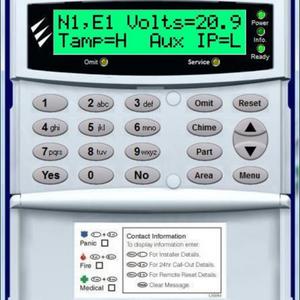
Hi Adrain, Thanks for all your help this weekend. Will give it a shot over the week and let you know how I get on. Hi SparkyMarka, Ive rechecked and Im still getting 21.42 volts, what should this be and how do I get the correct voltage? Power is coming directly from the...- Tazer
- Post #124
- Forum: Alarms, CCTV & Telephones
-
T
Texecom 48 install....East London
Hi Adrain Yes everything is done via the Keypad Yes I have the manual. Before I load defualts to I disconnet the Wireless Expander, once everything is loaded and working, then install the wirelss expander and configure that. Or is it OK to default everything while the wireless expander...- Tazer
- Post #121
- Forum: Alarms, CCTV & Telephones
-
T
Texecom 48 install....East London
Yes system was powered down completely including back up battery. Ran new cable, it looks like cables are crossed there not, colour of new cabling and I have made sure it's the same on the expander. Once powered back up, deleted old devices and releanrt everything again a well a confirming...- Tazer
- Post #119
- Forum: Alarms, CCTV & Telephones
-
T
Texecom 48 install....East London
Sorry the other question was about cabling. Both Keypads and Expander have dedicated cables running to it directly from the Panel. No chopping into or daisy chaining. Direct cables for all 3 items.- Tazer
- Post #116
- Forum: Alarms, CCTV & Telephones
-
T
Texecom 48 install....East London
Hi Adrian Sorry, yes that was an old telephone cable that I had which I used as I had run out of alarm cable. Ok I now went to the local shops and purchased some alarm cabling wire and re-ran that cable. Wired it back into the panel under Network were both keypads are also wired...- Tazer
- Post #115
- Forum: Alarms, CCTV & Telephones
-
T
Texecom 48 install....East London
Hi Adrian That's a cat6 network cable which I've used through out the house. That's connect to the comIP for the wireless expander.- Tazer
- Post #111
- Forum: Alarms, CCTV & Telephones
-
T
Texecom 48 install....East London
Hi Adrain Sorry dude, tried it again and still the same problem nothing being populated under Expander Options 1: Deleted all wirless devices by going into the keypad, configure radio -> yes -> reset button which deletes the device. Removed all devices 2: Logged out of the system and...- Tazer
- Post #109
- Forum: Alarms, CCTV & Telephones
-
T
Texecom 48 install....East London
Thanks for getting back to me Adrian 6am Sunday morning :lol: Ok Ive been playing around with the system since half 8 this morning and I still cant get anything populated under expander options. Ive carried out the tasks you mentioned Adrian 1: Opened Wireless Expander and...- Tazer
- Post #107
- Forum: Alarms, CCTV & Telephones