Search results
-
N
Upgrading to Hive
Hi Stem, Hope you're well. Just want to clarify. Would you agree:- Pin 3 = HW on Pin 5 = CH on? Thanks- nay376
- Post #5
- Forum: Home Automation
-
N
Upgrading to Hive
Hi Stem, This information is great! I feel very confident. Just need to get my head around the circuits. Where i struggle, Pins 1&2 are not connected in my EP. These are hw on/off according to the circuit diagram. So how does my Hw turn on and off? Thanks- nay376
- Post #3
- Forum: Home Automation
-
N
Upgrading to Hive
Hi, Can anyone help with the wiring of my EP6002 programmer to Hive? I also want to remove the old thermostat and wires Thank you Vin- nay376
- Thread
- hive 2 wiring advice hive heating potteron
- Replies: 13
- Forum: Home Automation
-
N
Replacing Potterton EP2002 with Hive V1
Hi, I've read this post but i'm not sure of some of the woring as my wiring looks slightly. Can anyone help me with my wiring diagram? In addition, i would like to completely remove the old thermostat and wires as I believe this is no longer needed. What do I need to do? Thank you in advance Vin- nay376
- Post #6
- Forum: Plumbing and Central Heating
-
N
Galaxy Ethernet addition
Its the Honeywell app. I left it as default- nay376
- Post #4
- Forum: Alarms, CCTV & Telephones
-
N
Galaxy Ethernet addition
Hi, I've just upgraded my G2 C-012 alarm with the ethernet module. I've connected the wires and powered up with no fault code. However, i'm not sure what information i should be inputting into the mobile app to connect to the panel. Is anyone able to help?- nay376
- Thread
- alarm alarm system galaxy g2 galaxy g2-20
- Replies: 4
- Forum: Alarms, CCTV & Telephones
-
N
Honeywell Galaxy G2-12 wiring
That worked perfectly. Thank you.- nay376
- Post #34
- Forum: Alarms, CCTV & Telephones
-
N
Honeywell Galaxy G2-12 wiring
I only want me as a high level user, and one user code. What i want to remove is the default user code of 1234. Do i just clear pin's for ones i previously set to remove them? Also on the entry/exit door i have a contact sensor no PIR's covering it. ideally what i want is the alarm to set...- nay376
- Post #32
- Forum: Alarms, CCTV & Telephones
-
N
Honeywell Galaxy G2-12 wiring
Hi, I managed to get out of engineering mode. The PCB switch on the keypad wasn't seated properly. Thanks for all the help and advice so far. I have just one more question if you would help? How do i set up the system? I don't want 22 Users, just one and the master code. In addition, I...- nay376
- Post #30
- Forum: Alarms, CCTV & Telephones
-
N
Honeywell Galaxy G2-12 wiring
Hi, I think i may have changed the engineering code. I did as above and now i get checking for Tampers. It comes up Keypad1 but i am unsure of how to resve this? Thanks- nay376
- Post #29
- Forum: Alarms, CCTV & Telephones
-
N
Honeywell Galaxy G2-12 wiring
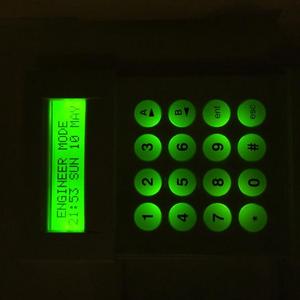
Hi, Its not saying "checking for tampers" Just takes me back to this... http://www.diynot.com/network/nay376/albums/24745/94264- nay376
- Post #28
- Forum: Alarms, CCTV & Telephones
-
N
Honeywell Galaxy G2-12 wiring
Nope. Just goes to banner with date and engineering mode- nay376
- Post #26
- Forum: Alarms, CCTV & Telephones
-
N
Honeywell Galaxy G2-12 wiring
Hi, I did as above but still in engineering mode when i esc. Now i get status unset when i re-enter Any ideas? Thanks- nay376
- Post #24
- Forum: Alarms, CCTV & Telephones
-
N
Honeywell Galaxy G2-12 wiring
That was a reset via the menu. Alsi cut the mains power to the panel And tried pin plus escape. But still engineering mode. Any way to find out whats the issue?- nay376
- Post #22
- Forum: Alarms, CCTV & Telephones
-
N
Honeywell Galaxy G2-12 wiring
Sorry. Yes that's what i meant. Turned telephone to 0 and did restart. Asked for a user reset? Still engineering mode.- nay376
- Post #20
- Forum: Alarms, CCTV & Telephones
-
N
Honeywell Galaxy G2-12 wiring
Hi, Thanks for all the advice so far. I've wired the alarm up and powered it on. I believe the sensors are all working. 1k closed, 2k tamper. However, i'm stuck in engineering mode. So i'm assuming there is a fault? Is it because i haven't wired the telephone line? Vin- nay376
- Post #18
- Forum: Alarms, CCTV & Telephones
-
N
Honeywell Galaxy G2-12 wiring
Where would i add the resistor for the magnetic contacts? Thanks Nay- nay376
- Post #14
- Forum: Alarms, CCTV & Telephones
-
N
Honeywell Galaxy G2-12 wiring
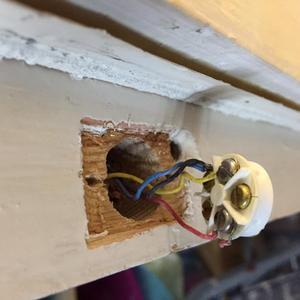
Hi, Here's an example of one contact:- http://media.diynot.com/229000_228575_93436_28134881_thumb.jpg I'm using two wires Red & Yellow and in normally closed function. I tested all the others with a multimeter. Using only two wires. When door closed circuit is complete. Thanks Nay- nay376
- Post #12
- Forum: Alarms, CCTV & Telephones