• Looking for a smarter way to manage your heating this winter? We’ve been testing the new Aqara Radiator Thermostat W600 to see how quiet, accurate and easy it is to use around the home. Click here read our review.

Fault in Zone2 when setting alarm

Joined
13 May 2011
Messages
3
Reaction score
0
Country
United Kingdom
After 5 years of my house alarm working perfectly, I can't seem to set my house alarm.
A fault in zone 2 comes up and sets the alarm off - I then re-enter and key in my password to stop the alarm sounding.

Zone 2 PIR is in the living room - I have checked this and there does not seem to be a break in the wiring. Given it a good clean .

I have tried keying in my access code to reset the alarm (it states in the book that all the zone lights should go off) however, z2 light stays on!!!!

Anyone have any ideas? Do I need to replace the PIR detector?

Thanks

Phoenix :?
 
enter engineer code,
loop out that zone
replace cover
come out of engineer
test.

if system sets

change PIR !

Oasis
 
Thanks oasistechnical....

I don't have the engineers code but I read in the User manual that I can omit a detector - so I'll try that - the system will re-instate the detector next time I set the system so I guess I will then know if it is the PIR.

Can I change the PIR without turning the system off? Can I just get any PIR to replace it and is it easy to change a PIR ? As you can tell I have limited knowledge here :o

Thanks
 
If your very careful yes.
Any standard reasonably priced pir will suffice ( spend £15.00).
You may blow a fuse, thats where being careful comes in. So maybe buy a packet of 1amp 20mm quick blow fuses too from Maplins.

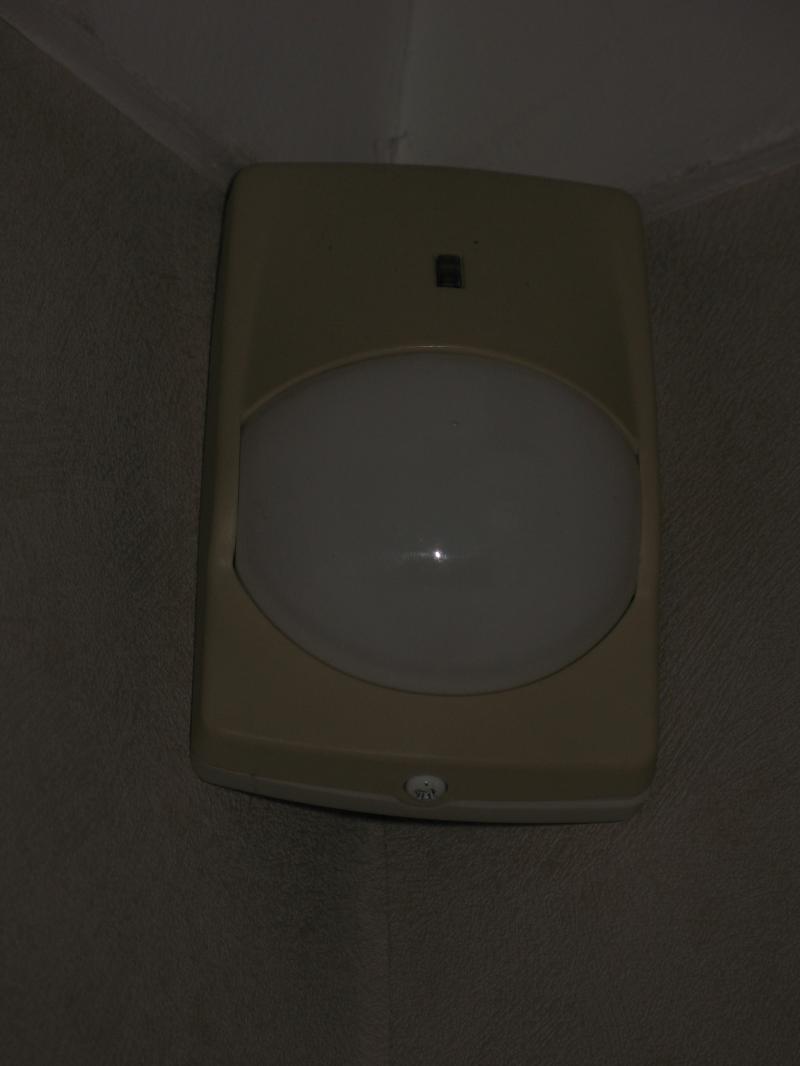
Take a photo of the pir and we will see if we can recognise it for you, be easier to just swap the pcb and front cover.
 
Well there you go, got the make right :D

Not used one for eons so thought discontinued, good find thanks.
 

If you need to find a tradesperson to get your job done, please try our local search below, or if you are doing it yourself you can find suppliers local to you.

Select the supplier or trade you require, enter your location to begin your search.


Are you a trade or supplier? You can create your listing free at DIYnot Local

 
Back
Top