• Looking for a smarter way to manage your heating this winter? We’ve been testing the new Aqara Radiator Thermostat W600 to see how quiet, accurate and easy it is to use around the home. Click here read our review.

Remove not working links from 'Start' Win 7

Joined
15 Jun 2004
Messages
7,403
Reaction score
334
Location
Norwich
Country
United Kingdom
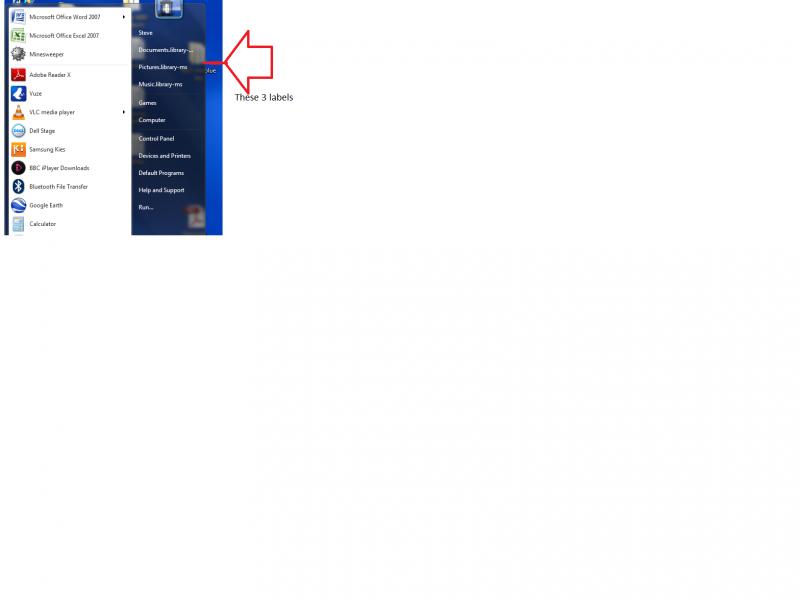
The links on the left, (Documents/Pictures/Music..Libray). These do not work, how can I remove them & add links that will work.
 
If you right-click on each one and go to 'Properties' it should show where they are mapped to. You get the option to include more folders so you can select what each option does.
 
I had tried that, I get an error message. 'The properties for this item are not available'.
I am the administrator.
 
OK, I have found where it is pointing to:
C:\Users\Steve\AppData\Roaming\Microsoft\Windows\Libraries.

If I right click in the director it will let me change properties, it ask, what file do I want it associated with, I want it o go to a folder, any ideas.

 
Back
Top