• Looking for a smarter way to manage your heating this winter? We’ve been testing the new Aqara Radiator Thermostat W600 to see how quiet, accurate and easy it is to use around the home. Click here read our review.

Trying to fit a wiser kit 1 to a baxi duotec

Joined
17 Mar 2025
Messages
4
Reaction score
1
Country
United Kingdom
Evening everyone , I’m in need of some help.

My baxi duotec 28 combi has one of those mechanical timer / programmer things with all the little switches around the outside and I’m wanting to fit a wiser thermostat kit 1.

Can anyone tell me how to wire it ?
The old timer has 4 wires coming out of it ……

Many thanks

Lee
 
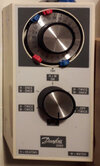
I assume one of these Danfoss3060programmer.jpg the diagram is likely somewhere on the programmer.
1742263106444.png
This was on mine, so four wires 2, L, N and earth. I still have the old timer so I could ring out the contracts if required, but
1742263403948.png
looking at wiser N to N, and L to L with a like L to 1, and 2 to 2. But this does not take account of any existing thermostat.

The main thing is to ensure right version pictures are good, there are three Wiser hubs
1742263797805.png
and loads of other timers with fingers, so best it post pictures.
 
I’m fitting a WT714R one channel.
I have a honeywell DT 90 screwed to the wall that I want off.
The timer is like the baxi optional programmer , round thing that has loads of little switches on the outside and has a little ‘ off , timer , on switch
 
Ok, I would leave the time clock in unless you want it out and just leave it set to permanently on. The wires for the DT90 should come from the boilers PCB. The Wiser can be piggybacked from the boiler LNE and then just the 2 switch wires to common (1) and NO (3) - no need to provide a link as the boiler sends mains out with the wiser sending a switch live return. Make sure you remove the 2 Honeywell wires and then place them in a terminal block and the same at the other end or just leave the thermostat connected as it won't do anything.

Hope this makes sense?
 
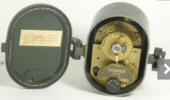
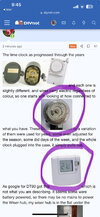
The time clock as progressed through the years 1742289524251.png
1742289571399.png
and each one is slightly different, and wires carry electric regardless of colour, so one starts with looking at how connected to what you have. These
1742289741112.png
or a variation of them were used for years, some even adjusted for the season, some did days of the week, and the whole clock plugged into the case, it simply pulls out.

As google for DT90 got this
1742289978427.png
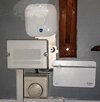
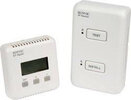
which is not what you are describing. It seems some were battery powered, so there may be no mains to power the Wiser hub, my wiser hub is in the flat under the main house, close to the boiler, Thermostats_tonemapped.jpg did look like this 20190619_063642.jpg and it was hard enough to re-wire being in the house with all my meters, however, the old thermostat was also wireless Sunvic-wireless-thermostat.jpg I never did find the thermostat, but with wireless easy enough to wire close to the boiler. And place the sensing bit, quite remote from it, which is the whole reason why I added Wiser, the Nest thermostat went where the wires went, in my case the hall, where the Wiser sensing bit went in the living room.

I hope you can see from my post how pictures help, and can do the same.
 
I have both of those
 

Attachments

  • IMG_0478.jpeg
    IMG_0478.jpeg
    175.9 KB · Views: 25

If you need to find a tradesperson to get your job done, please try our local search below, or if you are doing it yourself you can find suppliers local to you.

Select the supplier or trade you require, enter your location to begin your search.


Are you a trade or supplier? You can create your listing free at DIYnot Local

 
Back
Top