Hive Thermostat Wiring Assistance

Joined
26 Oct 2025
Messages
11
Reaction score
4
Country
United Kingdom
Hi all, I am shortly off to Screwfix to pick up a Hive Thermostat for my conventional boiler.

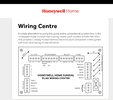
The picture below is the wiring layout of the junction box (thankfully well labelled), and wanted to find out which wires I need to disconnect in order to prevent the original thermostat from kicking in so the Hive can take over. Is anyone able to let me know which wires I need to disconnect please? I think it's supposed to be a yellow and a white? Anything else that I need to do on the junction box at all?

Total electric numpty, so be gentle .

20251026_085725.jpg
 
That's a nice tidy wiring centre. It will be the room stat terminals on the left, your hive hub will need a neutral and I can't see from the picture what each of those cores are labelled as - take a clearer picture.
According to the pcb the inside of the lid you took off has instructions (presumably a wiring diagram), take a picture of that as well.
 
I think you can use the existing connections as blue should be neutral. Whether that’s a permanent live and neutral I’m unsure.
 
I think you can use the existing connections as blue should be neutral. Whether that’s a permanent live and neutral I’m unsure.
I'm not convinced, it says "if room stat not used, link 1 and 3". 2 or 3 is an earth core so, so if we'd have to assume blue is switched live unless they've wired it up with the earth.
Really need to see the wiring in your existing room stat.
 
I'm not convinced, it says "if room stat not used, link 1 and 3". 2 or 3 is an earth core so, so if we'd have to assume blue is switched live unless they've wired it up with the earth.
Really need to see the wiring in your existing room stat.
Depends on numbering. That wouldn’t explain the yellow core
 
I think you can use the existing connections as blue should be neutral. Whether that’s a permanent live and neutral I’m unsure.
Thanks. So do I need to disconnect anything, or reroute anything?

I'm a numpty at this electrical stuff, so need clear instructions as if you're talking to a 5 year old!
 
Thanks, as I suspected blue is neutral (obviously not always)
Good find, that's absolutely horrendous numbering. 1, earth, 2, 3?
Thanks. So do I need to disconnect anything, or reroute anything?

I'm a numpty at this electrical stuff, so need clear instructions as if you're talking to a 5 year old!
You should be able to replace your existing wall thermostat with the hive hub, or you could disconnect the connections at the wiring centre and place the hub near your centre (it talks wirelessly with the thermostat anyway). Make sure you isolate the power to the wiring centre before doing anything.
 
Thanks. So do I need to disconnect anything, or reroute anything?

I'm a numpty at this electrical stuff, so need clear instructions as if you're talking to a 5 year old!
Disconnect the room stat cable in the wiring centre and add a link between the terminals that the red and yellow were connected.
 
Disconnect the room stat cable in the wiring centre and add a link between the terminals that the red and yellow were connected.
That would be to bypass the room stat entirely, he wants to use the hive as his new stat.
 
Disconnect the room stat cable in the wiring centre and add a link between the terminals that the red and yellow were connected.
So:

1. Disconnect all the 4 wires on the room stat?

2. Unsure what you mean about adding a link between the terminals that the red and yellow were connected, though.
 
This is for controlling the heating and hot water via the hive. With your current setup, your thermostat calls for heat but the hot water timings will be done via your programmer. If you want to have that control via the hive, it's going to be a little bit more complicated and we'll need the wiring of the programmer as well.
 

If you need to find a tradesperson to get your job done, please try our local search below, or if you are doing it yourself you can find suppliers local to you.

Select the supplier or trade you require, enter your location to begin your search.


Are you a trade or supplier? You can create your listing free at DIYnot Local

 
Back
Top