Might be a silly question but do external hard drives come with windows 11? My pc is running fine but i cant update it to windows 11 because it does not have tpm 2. Can i just run it of an external hard drive with windows 11 pre installed?

You are using an out of date browser. It may not display this or other websites correctly.
You should upgrade or use an alternative browser.
You should upgrade or use an alternative browser.
Do external hard drives come with windows 11 installed?
- Thread starter fitzykev
- Start date

No. External hard drives, usb drives, memory sticks etc.. are just empty storage for you to use. You would need to install windows 11 using a tool like media creation and then selecting that as the drive to install windows too (if that was indeed the destination you wanted the install on). But then you will need to boot from that device etc.. and you would still likely have the same issue of no TPM.
Unless your machine is a few years old it could be that your TPM chip is disabled in the bios.
Unless your machine is a few years old it could be that your TPM chip is disabled in the bios.
I tried to enable it in bios but it can be found no whereNo. External hard drives, usb drives, memory sticks etc.. are just empty storage for you to use. You would need to install windows 11 using a tool like media creation and then selecting that as the drive to install windows too (if that was indeed the destination you wanted the install on). But then you will need to boot from that device etc.. and you would still likely have the same issue of no TPM.
Unless your machine is quote a few years old it could be that your TPM chip is disabled in the bios.
Its a pcIs it a laptop or desktop? Could you share the make/model of it please.
Attachments

Thanks, looks like an Asus logo there, do you see a model number anywhere on the case (sticker on the back perhaps?)
Attachments
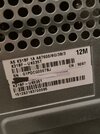
From my limited research it seems like this machine (or at least motherboard, intel® baytrail-d) is from around 2015 and does not support TPM 2.0 Now I am not 100% sure if this has a TPM header on the motherboard that you could add a chip too or not or whether it would be supported.
There are also ways to install windows 11 bypassing the TPM 2.0 requirement but that could be a little more involved with technical skills and you might need to ensure your data is backed up or install to an alternative hard drive etc...
You might want to consider sticking with windows 10 for a while (ensuring browsers, antivirus etc.. are kept upto date) as this is unlikely to be any real security concern at this time. Or look to upgrade your PC / purchase a slightly older used model on ebay for cheap.
There are also ways to install windows 11 bypassing the TPM 2.0 requirement but that could be a little more involved with technical skills and you might need to ensure your data is backed up or install to an alternative hard drive etc...
You might want to consider sticking with windows 10 for a while (ensuring browsers, antivirus etc.. are kept upto date) as this is unlikely to be any real security concern at this time. Or look to upgrade your PC / purchase a slightly older used model on ebay for cheap.
I think when i ran the scan it may have said it might not be compatible with amd or something along those lines alsoFrom my limited research it seems like this machine (or at least motherboard, intel® baytrail-d) is from around 2015 and does not support TPM 2.0 Now I am not 100% sure if this has a TPM header on the motherboard that you could add a chip too or not or whether it would be supported.
There are also ways to install windows 11 bypassing the TPM 2.0 requirement but that could be a little more involved with technical skills and you might need to ensure your data is backed up or install to an alternative hard drive etc...
You might want to consider sticking with windows 10 for a while (ensuring browsers, antivirus etc.. are kept upto date) as this is unlikely to be any real security concern at this time. Or look to upgrade your PC / purchase a slightly older used model on ebay for cheap.
- Joined
- 12 Aug 2022
- Messages
- 522
- Reaction score
- 274
- Country

Have a look on Youtube for ways to upgrade unsupported hardware to Windows 11. There are lots of ways but the easiest I have found was to use Rufus. All hard drives come blank and some you even have to initiate before you can use them. Those that need to be initiated do not show up in "THIS PC" which makes life a bit more difficult. Part of the reason for that is because if you are going to install Windows then that particular copy of Windows will set itself up to the parameters of the computer it is going to be used in. Having said that 90% of the times if you insert a hard drive from a different machine then the copy of Windows will sort itself out. Note that I said "90%" it doesn't always work.

The processor in that computer ( an AMD A8-7600 ) is not supported by Windows 11 and never will be.I think when i ran the scan it may havesaid it might not be compatible with amd or something along those lines also
Windows 10 can be extended to get security updates for another year for free, instructions in this video:
Absolutely no way anyone should be attempting to install Windows 11 on a machine that's already 10+ years old.
Similar threads
- Replies
- 24
- Views
- 641


- Replies
- 2
- Views
- 1K
