@foxhole I had PIR lamps when I moved in, with I think 300 watt halogen bulbs, when I parked the car at bottom,

I was too far away for the PIR to detect me, but it would see the car front, (bit with hot radiator) so they would switch on, but unless fast, could switch off again as I walked up the drive. They were already too sensitive, being triggered by wind and trees, and also as I walked past the lamps, and up steps at the side of the house, unless fast they could turn off before I had triggered lamp at the front of the house, and again plunge me into darkness. When the leak on the veranda was cured, the lights had to come down, so replaced with carriage lights with smart bulbs. I can turn on while still in the car, and off once in the house, so far safer, and they do not assist intruders who should not be at the bottom of the house anyway. At the top of the house, still have a PIR carriage lamp, using a Tapo smart switch, which since it has batteries does not need a neutral or power through the lamp, so can set times when it works, I have now over the requirement for outside lights, eight in all, two hardly ever turned on, light way to front door which no one uses. The pedestal lamp on the edge of the pond is really all the visitor needs, and I turn it to green on Halloween to show we welcome trick and treat. The one at the corner of the house by the door everyone uses is an integral lamp, so powered with a P100 Tapo socket adaptor. And the bulkhead light side of the house under the eves is also normally powered with an adaptor, but at the moment relocated to work wife's bedroom fan. This again good reason for adaptors rather than smart sockets, as can move them around.
However, it seems not all smart bulbs, adaptors, switches, etc, are the same, the one odd bulb West side of the house, slowly dims before switching off, nice to have a warning it is about to turn off, (Wiz bulb) but the one on the pedestal at the pond, has dusk and dawn features, so in winter it turns on at 6 am, and off at dawn for the milkman. And this is why I started the thread, there are so many features not advertised, it seems some are part of hub, some are part of device, and some depend on the app used.
If I look for example on the Screwfix website, and look at smart devices, the information on what they do is somewhat lacking. Be it a socket adaptor, bulb, light switch, or TRV, it tells one very little. So just with Tapo (TP-Link) we have P100, P110, and P110M, there is £3 difference between the P110 and P110M and the M will it seems pair with more control devices, but since I use Google Home, not interested in the others, once we move to other makes, I have Energenie, and Drayton Wiser, we see different ways to do the same thing, the Energenie also do three versions, one switches, one monitors, and one monitors and switches, and I like the monitor only as can't be switched off in error. But I have a hub for each make, so in some ways we want all smart devices to be same make, as then only one hub.
The Drayton Wiser socket was got as it also relays the signal to the TRV head, as a socket adaptor it does less to the Tapo P110, and costs a lot more. It claims to be Zigbee, but does not link with my other Zigbee devices or hub. I used Energenie sockets, and had one fail, so decided the adaptors were better, as far easier to replace to a hard-wired socket.
As to TRV heads, the Wiser is a special in wife's room, as it will fire up the boiler, the Energenie should have done, but failed, the eQ-3 were very cheap at £15 in 2019, but not that cheap now, so when the Energenie one smashed by carpet fitters, replaced with Kasa (also TP-Link) had to buy new hub and found it did not with with Tapo hub, (also TP-Link) but they do now since a firmware update, but double as door bells, so both still used. Nice to be able to check time and date door bell pressed.
Lucky all my devices will work with Google Home, so I can work all with one app, or voice commands, but with reduced functions, it is handy be it plugged in or from lighting circuit, hey google turn off living room lights turns off them all. The problem can be turning items on, so many today will not switch on until a button is pressed, be it my battery charger or my tumble dryer, I can't set them to run as soon as a socket turns on, have to press a button on the device.
My move into smart devices was to control an extruder alarm, that alerted us when mother excaped, not allowed to lock the door, human rights and all that, but when she went on walk about, we could try to persuade her to come home. So alarm upstairs to wake us in the night, but so easy to forget to set it, or turn it off before carers arrived, tried timers and remote control sockets, but the smart socket allowed us to combine both. And new owners did not want them, so all moved here, but Energenie were expensive, and not the best, with some in their range, so moved to other makes. So now 5 hubs, OK one is used as a doorbell, and one is the central heating control, so three for smart devices, but would be better with one. Hence, the thread, so people can find out what does what before they buy.



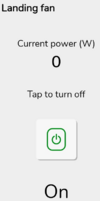 bit basic, and a delay showing use, but it's a plus, but the Tapo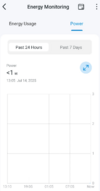
 a much cheaper unit, and shows a lot more, it even allows me to enter peak and off-peak prices to work out what it has cost, does not really work for me, as I have solar, so cost depends on what the sun is doing. Last one was P100, it failed after around 2 years, and started acting as a flasher unit, new one is P110, it looks the same, but clearly improved. The first I got was Energenie I still have two, one which only monitors, I use it to test freezers every so often, don't want them by accident turned off, and one will also switch on/off as well. The Wiser one was because the TRV would not work without it, seems very overpriced. I have another one, can't remember make, will need to get steps out to reach it.


