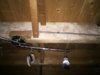
What's the second cable?

Joined
30 Mar 2015
Messages
4,380
Reaction score
79
Country
United Kingdom
I appreciate that I don't have the full picture to hand at the moment but would really appreciate any hints/pointers on the below please.

I've got the attached light fitting which has two cables entering it. I assumed one is Live In (end of lighting circuit?) and the other is the switch.
However, when I use my tester, one never causes a buzz and disappears into the hallway where I can no longer trace it. All other lights works fine. The other cable buzzes when the switch is toggled. I assume this is the switch cable.

This other cable (not buzzing on test) doesn't make any sense to me. Any suggestions?

I will have a look inside the switch later along with how these cables connect inside the light fitting.

Thanks in advance.
 

Attachments

  • cable.jpeg
    cable.jpeg
    217 KB · Views: 391
You didn't actually say what the problem is, or what you are trying to achieve. Any tester that just buzzes when near a cable is not the kind of tester you should be using and it won't help you. You need a multimeter or 2 pole tester to get any useful information.
 
Sorry for not being clear.
I will be replacing this light fitting and wanted to make sense of these two cables. Unfortunately, I don't have a multimeter but I do have a decent tester. I've separated the cables and tested whilst toggling the light switch in the case of the switch cable and it picks it up correctly. But this other cable has no detection and I am trying to determine what it might be.
 
Assuming the existing light works wire your replacement in exactly the same way.

Take photos or make notes of the existing wiring before you start.

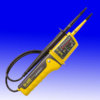
What do you claim is a decent tester?
 
I am sure I am walking straight into this one but here's my tester!
The "decent one" :)
 

Attachments

  • tester.jpeg
    tester.jpeg
    110.8 KB · Views: 315
I intend to wire it in the same way as default but still curious to understand what this second cable may be....
 
which has two cables entering it. I assumed one is Live In (end of lighting circuit?) and the other is the switch.


Something like this Your "Live In" is the supply cable

0x50.jpg


Your tester is likely to NOT indicate reliably and this coud mislead to believe a circuit was dead when it was live. a lethal shock could then happen when you started work.

to understand what this second cable may be...

one is Live In (end of lighting circuit?) and the other is the switch

.
 
Would my current tester not pick up the live-in? It always has done in the past? I've relied on this beauty for my entire house and escaped without any shocks :)
I could test the end of this cable once I have exposed the light fitting terminals if that's likely to provide an accurate reading?
 
How many conductors are there within the light fitting ? You have only mentioned two. Your pic of cables doesn't look like they are twin and earth,but maybe just the pic is misleading.
 
@terryplumb you could be on to something...
I don't know the answer to the light fitting terminal question but will later today but the cable does look smaller and rounder than a 1.5mm t&e now that you mention this.
 
Single conductor in each would be switched live in one and neutral in the other .No earth would mean you should not connect this type of fitting that is currently there. If the cable is round its likely to only carry a single conductor.
 
Would my current tester not pick up the live-in?

Those testers measure the difference in potential between the nearest wire and the person holding the tester. If the person is standing close to a live wire ( such as the cable to a switch that is turned ON ) then their potential could be close to mains voltage by capacitive coupling. In that situation the tester might indicate NO voltage when held close to a live wire and indicate Live when close to a Neutral or Earth
 

If you need to find a tradesperson to get your job done, please try our local search below, or if you are doing it yourself you can find suppliers local to you.

Select the supplier or trade you require, enter your location to begin your search.


Are you a trade or supplier? You can create your listing free at DIYnot Local

 
Back
Top