Follow along with the video below to see how to install our site as a web app on your home screen.
Note: This feature may not be available in some browsers.
Looking for a smarter way to manage your heating this winter? We’ve been testing the new Aqara Radiator Thermostat W600 to see how quiet, accurate and easy it is to use around the home. Click here read our review.
I have installed the nest replacing Grasslin control box and Honeywell thermostat. I can only get hot water and heating when the nest thermostat isn't connected. Any suggests??

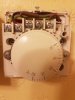
First of all, you shouldn't still have a room thermostat wired in when the Nest is also trying to carry out the same function. Take the wire out of terminal 3 of your Existing room thermostat and put it in terminal 1 with the wire that is already there. What happens now?
Edit
Having read your post again, it now appears that you may have removed the thermostat, but have still posted photos of it. Are the photos of the system before you installed the Nest?
If so, you have sent us photos of a working system, So how can we troubleshoot? We need to know what the situation is now after you have wired the Nest in and the fault appeared.
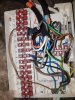
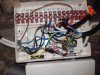
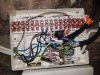
Sorry been a frustrating day. This is what I have done so far. I know the wiring needs tidying up
Remove wires from timer .
Live goes to live neutral goes to neutral
From live link to 2 and 5
Then from old timer put 4 of old timer into 3 of nest =ch on.
Then 3 of old timer into 6 of nest =Dhw on
Then 1 of old timer to 4 of nest = Dhw off.
Remove wired room stat and connect common and sl together = 1 &3 .
Then you can have the nest as a wireless set up only
You need to remove the wired thermostat wiring from the wiring centre this then gets connected into the nest home link to give the nest stat 12v from the home link
you then remove the 230v thermostat and connect the nest stat to the cabling
do not connect the stat first but install the cabling to the homelink first otherwise you will blow the stat to pieces
if you are struggling you should call a electrician in or you can search the nest pro website for a registered installer.
If you are local to me then i am a Registered installer
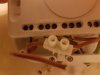
All looks as it should be. Unfortunately I can't follow the wiring center wires in the photograph, but if nothing has been disturbed in there and it worked before, then it should be OK.
So I can only suggest that you check the connections to make sure that they are good and secure and that the screws are clamped on the metal conductors and not just the insulation.
As you have not hard wired it, I assume you are getting 12v to the Nest Thermostat with a plug in power supply and that it is powering up OK.
Thank you all for your help. I checked the wiring in the wiring centre and put it back to how it was. Working fine now
Thanks again everybody for your help
If you need to find a tradesperson to get your job done, please try our local search below,
or if you are doing it yourself you can find suppliers local to you.
Select the supplier or trade you require, enter your location to begin your search.
Please select a service and enter a location to continue...
Are you a trade or supplier? You can create your listing free at DIYnot Local