Accenta g3 alarm won’t set but battery is new,

Joined
5 Nov 2024
Messages
12
Reaction score
0
Country
United Kingdom
Accenta g3 alarm won’t set but battery is new, so when I disconnect it all put it back together the alarm goes off then I put my code in and alarm stops but after that I try set it again the keyboard beeps every number you press which is normal but it won’t set and the TA light is flashing so then I press the reset button and TA light just goes a steady red light and then the keyboard doesn’t respond to any button press, when I walk into each room the alarm sensors pick me up as they go red, now here is the thing I removed a wall in my house so I didn’t need the sensor in that room anymore so the sensor got took away and wires put in the wall so could this be the problem and how do I sort it if it is would I need to go to circuit board and disconnect they wires that’s linked to that sensor, thanks in advance
 
You will need to identify the wiring for the zone that has been removed and disconnect it from the global tamper circuit. Assuming this is the only tamper fault currently present then the system should then reset.
 
According to my wall we moved in dinning room it says zone 4 on my keypad so I went into my pannel and moved the 2 wires going into zone 4 they where green and white wires but nothing changed
 
Sounds like you have removed the zone wires rather than tamper pair. Follow the zone pair back to locate the tamper pair and disconnect those and remake the tamper loop.

Do you have a photo?
 
I will send a picture in couple hours and see if youse can help, I think if I just get these wires that are linked to sensor that was removed I will sort it
 
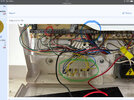
So I followed the green and white wire from zone 4 into the cable and there is red and black wires and yellow and blue so I don’t know which one is a tamer wires I have put bit of white tape round the red and black of zone 4 cables as you will see in pictures
 
Got it now
IMG_6161.jpeg
 
It’s the blue and yellow ones remove the pair and connect the other two in the connector block together ….
 
Remove wires in zone 4 and fit a shorting link ( in red )
Find the wires FROM THIS CABLE ( in green ) and disconnect from the terminal strip …this wil leave 2 single wire which they were connected to ….connect they back together and put a spare unused terminal in that strip …
Disconnect the red and black FROM THIS CABLE in ( blue )
This will leave you with the cable from zone 4 with all the cores disconnected .
If you don’t understand this ….it may be better to get someone in
 

Attachments

  • IMG_6361.jpeg
    IMG_6361.jpeg
    297.2 KB · Views: 47
Remove wires in zone 4 and fit a shorting link ( in red )
Find the wires FROM THIS CABLE ( in green ) and disconnect from the terminal strip …this wil leave 2 single wire which they were connected to ….connect they back together and put a spare unused terminal in that strip …
Disconnect the red and black FROM THIS CABLE in ( blue )
This will leave you with the cable from zone 4 with all the cores disconnected .
If you don’t understand this ….it may be better to get someone in
Thanks mate I understand most of it apart from the terminal part when I disconnect from that I will have 2 single wires connect them back together and put a spare un used terminal in that strip, so I think I take the blue and yellow out terminal block and the 2 wires they where in beside connect them together and put them where
 
Yes when you remove the blue and yellow …they will be connected to two other wires …( yellow or blue) …put them together in the spare screw terminal you have created by taking out the other blue and yellow wire
 

If you need to find a tradesperson to get your job done, please try our local search below, or if you are doing it yourself you can find suppliers local to you.

Select the supplier or trade you require, enter your location to begin your search.


Are you a trade or supplier? You can create your listing free at DIYnot Local

 
Back
Top