CM67 to nest thermostat

Joined
11 Nov 2019
Messages
4
Reaction score
0
Country
United Kingdom
Hi all i currently have a vaillant ecotec pro 28 and it was controlled by a CM67 (none ng model)

this has recently become very finiky and will not always turn on heating.

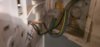
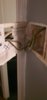
I have got a Nest 3rd gen lying around so thought time to fit it now I've never worked on a boiler ive put light and ceiling fan wiring in so im happy to have a go what is required my thermostat on wall gas 2 wires connected yo iy and another two unused in a block
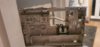
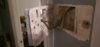
20191111_191847.jpg 20191111_191853.jpg 20191111_191856.jpg 20191111_191837.jpg

now will the unused ones be required for the nest as currently the cm67 is battery powered

Any help or advise would be great

thank you
 
The Brown wire now in the Honeywell A goes to the Nest Heat link (2) Heating common
The Black wire now in the Honeywell B goes to the Nest Heat link (3) Heating call for heat

As you say, the old thermostat was battery powered, and the Nest Heat link is mains powered so it needs a 230V supply. This may already be present at the existing thermostat wires, but will need checking with a multimeter first to be sure. If there is 230V between the Brown wire and the presently unused Blue wire then the Blue wire goes in the Heat link (N). Then inserting a link wire between terminals (L) and (2) [where the brown wire is connected] it provides the live supply to L.

If there isn't 230V present, then a new cable to provide the mains supply will be required for the Heat link. This should come via the 'load' side of the same 3A fused spur that supplies the boiler, so that when the boiler switch is isolated, the Heat link is too.

The Nest thermostat can be powered by a separate plug in power supply, or by connecting its T1 & T2 terminals to T1 & T2 at the Heat link. If you use the Heat link T1 & T2 terminals, an earth connection at the Heat link is required.

I assume that your Vaillant is a combi version, and so you don't have a hot water system to connect to the Nest as well.
 
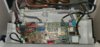
just being looking guessing i would wire from heat link to the rt port on the boiler is that correct

20191113_122629.jpg
 
Yep, That's the other end of the thermostat cable. Looks like the blue wire has been cut off. Unfortunately that is 24v so not 230V I'm afraid. But there's an alternative way.......

If you want to wire the Nest Heat link directly to the boiler, then remove the old thermostat cable you have just identified and move it out of the boiler altogether.

Connect the Nest N to the N in the blue / turquoise terminal block in the top right hand corned marked 230V N [leave the existing blue wire from the white cable in place too]

Connect the Nest L to the L in the blue/ turquoise terminal block in the top right hand corned marked 230V L [leave the existing brown wire from the white cable in place too]

Add a link between the Nest Heat link (L) and (2) Heating common terminals, so that they are electrically connected.

Connect the Nest E to the E in the blue / turquoise terminal block in the top right hand corned marked 230V E [leave the existing green / yellow wire from the white cable in place too]

Connect the Nest Heat link terminal (3) Heating call for heat to the RT in the lilac terminal block in the top right hand corned marked 230V RT
 
Thanks for all your help the wiring i have now for thermostat could they be moved into heatlink t1 and t2 to provide power to the nest or have i misunderstood instruction

Thanks again for all the help
 
If you want to use the old thermostat cable to make the connection between the Heat link and the Nest Thermostat, once it has been disconnected from the boiler you can, using the T1 & T2 terminals provided.

Capture.JPG


You can't connect the Nest Thermostat directly to the boiler, it has to go to the Heat link for its power supply. (or you can use a separate plug in power supply for the thermostat instead)
 

If you need to find a tradesperson to get your job done, please try our local search below, or if you are doing it yourself you can find suppliers local to you.

Select the supplier or trade you require, enter your location to begin your search.


Are you a trade or supplier? You can create your listing free at DIYnot Local

 
Back
Top