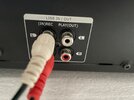
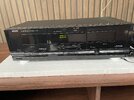
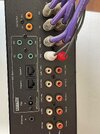
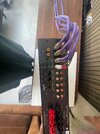
As others said, start with the Tape Deck PLAY OUT connected to the Azur's TAPE IN connection. To hear what's playing from the cassette deck, go to the Azure front panel and press the TAPE MONITOR button.
The recording connection for when/if you make new recordings to cassette can be either REC OUT 1 or REC OUT 2. They both give the same signal.
Whichever source button you select (AUX, CD, Tuner, DAB etc) sends that signal to both REC OUT sockets. That's how a signal gets to your cassette deck for recording.
Here's the same info in pictures from the manual. I have highlighted the main bits.
If you need to find a tradesperson to get your job done, please try our local search below,
or if you are doing it yourself you can find suppliers local to you.
Select the supplier or trade you require, enter your location to begin your search.
Please select a service and enter a location to continue...
Are you a trade or supplier? You can create your listing free at DIYnot Local