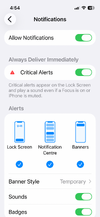
Well.... butter my ass and call me a biscuit! It's working!
I found out that the doorbell Hik-Connect account binding was not working.
The issue was:
My NVR camera IPs are on a different subnet to that of my other LAN devices (192.168.254.x)
I clanged my doorbell only IP to be a spare one on the LAN allocation (192.168.2.x) and then updated this in the NVR too for the doorbell channel.
Back in the GUI for the doorbell, it then showed binded ok.
So now the doorbell produces alerts when the button is pressed and the NVR continues to constantly record from it to its internal HDD.
That was a lot harder than it should have been.
I thought that by connecting:
[Internet] ----> [Router] ----> [(internet connection port) NVR (camera channel port)] ----> [Doorbell]
Would mean that the NVR would provide a) PoE power to the doorbell, b) would record the video/audio (effectively acting as another camera) and c) when the button is pressed, communicate over its internet connection to Hik-Connects servers and onto my smartphone Hik-Connect app. In reality it only does a) and b).
So to get it working properly you need to connect:
[Internet] ----> [Router] ----> [(internet connection port) NVR (camera channel port)]----> [PoE Switch] ----> [Doorbell]
.................... ...............↓---------------------------------------------------------------------------------↑
You also need to make sure that the doorbell ip address settings are set such that it is on the same subnet as your other LAN Devices using your router. Th NVR channel needs to be changed too to reflect this.
This then allows a) the PoE switch to provide power to the doorbell, b) the NVR to use the doorbell as another camera for audio/video capture and c) the doorbell independently of the NVR communicates with Hik-Connect servers (internet) to generate smartphone notifications.
I have purchased a Byron 776 wired chime which i shall wire into the NO/NC contact to provide an audible tone for the house. Then i gotta run an ethernet to the door which will be slightly challenging.
Got rid of the ring a few years ago, subscription costs are an absolute joke. Bought an Eufy which never properly connected over Wi-Fi and was basically useless other than for being notified that someone pressed the doorbell, could never get live view working reliably and the SD card would complain it always needed re-formatting even though it was set to over-write when full. Plus all WiFi door cameras are susceptible to relatively easy jamming of the signal by an adversary, rendering them useless. A wired Hikvision setup into an NVR using local storage is, in my opinion, is a far better way to go.
Glad i got there in the end, thanks for the help
@SandyLyon