

with my netbook having no optical drive,i transfered "autoroute" onto a usb stick from my other computer onto my netbook,which i did onto the desktop,it does open up.But it's only showing the build...how do i make the application run.

-
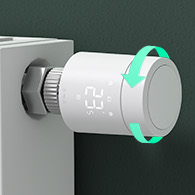 Looking for a smarter way to manage your heating this winter? We’ve been testing the new Aqara Radiator Thermostat W600 to see how quiet, accurate and easy it is to use around the home. Click here read our review.
file transfer
- Thread starter vokera80e
- Start date


