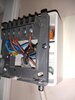
Honeywell thermostat indicator light

Joined
24 Sep 2020
Messages
7
Reaction score
0
Country
United Kingdom
I have an old style Honeywell T6360B thermostat wired into a timer next to the boiler. I had all this disconnected and a wireless thermostat fitted but I couldn't get on with it so I've just had the old arrangement re fitted. Everything works fine, but now the indicator light on the Honeywell doesn't light up, whereas it used to. The wiring inside it hasn't been touched. The wiring into the timer has been refitted so this must be where the problem is. I'd ideally like to fix it myself (having no electrical knowledge). Has anyone any ideas? thanks
 
If it is as per the T6360B shown below, wiring the lamp is optional so it may simply be that the lamp has not been reconnected. Check that the links I have added to the diagram in blue (between terminals 2 and 6) and brown (terminals 3 and 5) are present.

t6360B.jpg


It doesn't matter if the wires are transposed at the lamp.
 
You're welcome. :)

If you find these wires are in place, which is likely if the thermostat hasn't been touched at all, it's difficult to say what is going on at the other [timer] end of the wires as you haven't given any details of the timer, or its wiring connections. However, the T6360B thermostat should have 3 wires running out to it.

1) A live wire connected to T6360B terminal 1.
2) A neutral wire connected to T6360B terminal 2
3) And a switched live wire that controls the heating connected to T6360B terminal 3

It's possible that the the neutral wire hasn't been reconnected at the other end, in which case the thermostat will still turn the heating on and off, (albeit not as accurately as it should do) but the lamp will not light up. So what follows assumes that the thermostat is actually turning the heating on and off.

If you find that the neutral hasn't been reconnected and you wish to reinstate it; just a note of caution. Some installers will use blue wires as a live wire, so it will be necessary to find a neutral terminal and not just assume that any terminal with a blue wire in is the neutral.

Finally, if you do manage to get the light to work and find that it stays 'on' instead of switching 'off' when the thermostat turns the heating off, the live and switched wires have been transposed. Should this happen post back for further assistance.

 
IMG_20201124_135820489.jpg
IMG_20201124_134841119.jpg
Hi thanks so much for your detailed reply. I took the cover off the timer switch and the Honeywell stat to take some pics. The timer is a Danfoss TS715 Si.
 

Attachments

  • IMG_20201124_134851989.jpg
    IMG_20201124_134851989.jpg
    217.7 KB · Views: 139
Ah OK. That's slightly different to the T6360B diagram I posted. There aren't separate terminals for the lamp it is wired internally, so forget the bit about the links.

The thermostat wires are connected where I would expect to see them. Terminals 1, 2 and 3. However, the clamps appear to be on the insulation, so may not be making perfect contact with the conductor.

There should just be a tiny bit of copper on show, so that the clamp is pressing on the conductors and not the insulation. Those in the TS715 terminal in the righthand photo are how it should be.

1.JPG


So the question is, were is the other end of the blue wire that goes to the thermostat terminal 2 connected? It should go to the N terminal of the TS715, but looking at the photos it's impossible to tell remotely whether it does or not.

To test it you would need to have a multimeter and be able to use it safely. In which case, with the heating set to be 'on' at the TS715 programmer and the thermostat set to its lowest setting so that the heating isn't operating there should be 230V across thermostat terminals 1 & 2.
 
Last edited:
Hi sorry not replied earlier just wanted to thank you for all your help and advice. I'm going to check that blue wiring clamp on the stat. Don't have a multimeter, did look at buying one but I wouldn't feel sure about using it safely with the power on. If it's not the stat contact, I think I'll just live with it. The heating does work ok, albeit not quite as accurately as it did before. Thanks again.
 
just isolate the power and pull the neutral wire out a tiny bit till tou can see copper then tighten it back up , that might be all you need to do
 
When you said that the thermostat end wasn't touched, and the cable was only disconnected from the timer end; then the thermostat wiring would have been like that previously when the light was working. So, based on that I suspect the neutral hasn't been reconnected at the timer end.

If it was a professional that removed the wireless stat and reconnected the Honeywell, personally, I might be inclined to get them back to rectify it. However, as you say the heating is working, so you may decide that it's not essential.
 

If you need to find a tradesperson to get your job done, please try our local search below, or if you are doing it yourself you can find suppliers local to you.

Select the supplier or trade you require, enter your location to begin your search.


Are you a trade or supplier? You can create your listing free at DIYnot Local

 
Back
Top