- Joined
- 18 Aug 2025
- Messages
- 2
- Reaction score
- 1
- Country

Evening all,
Absolute amateur when it comes to reading wiring diagrams so hoping someone with experience can help me double check the wiring on a Honeywell Room Thermostat replacement and call bull on anything I say that’s incorrect.
Old analogue thermostat is a typical 3-wire setup with Live going to 1, Neutral to 2 and Switch Live to 3 which seems (to me) to align with the diagram inside the housing:


Everything seem ok so far?
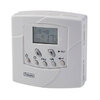
I’m only looking to switch it out for a modern Honeywell equivalent which shouldn’t be too much drama. The Honeywell T6360B is the likely candidate and the wiring diagram is this:

Would it be a case of removing the old thermostat, fitting the new one and connecting Live to 1, Neutral to 2 and Switch Live to 3 (essentially matching the old unit)? The Neutral circuit is what’s getting me questioning myself as I don’t often (ever) read wiring diagrams so trying to get my head around it.
Absolute amateur when it comes to reading wiring diagrams so hoping someone with experience can help me double check the wiring on a Honeywell Room Thermostat replacement and call bull on anything I say that’s incorrect.
Old analogue thermostat is a typical 3-wire setup with Live going to 1, Neutral to 2 and Switch Live to 3 which seems (to me) to align with the diagram inside the housing:
Everything seem ok so far?
I’m only looking to switch it out for a modern Honeywell equivalent which shouldn’t be too much drama. The Honeywell T6360B is the likely candidate and the wiring diagram is this:
Would it be a case of removing the old thermostat, fitting the new one and connecting Live to 1, Neutral to 2 and Switch Live to 3 (essentially matching the old unit)? The Neutral circuit is what’s getting me questioning myself as I don’t often (ever) read wiring diagrams so trying to get my head around it.