Kinetic Switch - Useable with older wiring?

Joined
18 Dec 2022
Messages
6
Reaction score
0
Country
United Kingdom
Evening all, stumbled across kinetic switches recently and thought they would be perfect to make things a bit easier before having the wiring redone…then I started looking at the wiring.

I’ll start by what I wanted to to do. 1890s build with electrics put in with the old red/black colour scheme. To enter the house there is a small lobby with no light, then a corridor with the first light and switch. The corridor has open stairs and a landing above that has another light and switch. These are connected so both lights come on together when either switch is turned on and the switches must both be off to have the lights off. So lots of going up and down stairs to flick the other switch off. Annoying but it was doable. We now have a toddler so there is a pram, toy storage etc to navigate past. Was hoping to replace downstairs switch with a new kinetic switch, then add inline receivers in the lobby, the other end of the corridor (connects to sitting room/kitchen) and the landing upstairs so the lights could be turned off from any location.

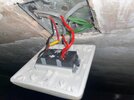
Now, having looked at the wiring I’m unsure of the best ( and easiest ) way to go. Or if it will work at that. First picture is the downstairs switch. Looks like the live wire comes in (with the yellow tape) and the other wire goes up to the landing switch.

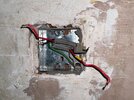
Third picture is of the landing switch. Live feeds up from below (again the yellow tape wire), then a wire going back down to the downstairs light and one more wire going up to the light upstairs.

If the downstairs switch is taken off/disconnected there is no power upstairs. I’m aware I’m going to have to replace the downstairs back box as it is only 20mm deep and the min is 25mm. Would a kinetic switch work on the first switch with the same wiring setup? Then just use a few in line receivers where I need to control both lights?

I am fully aware that the better way is to have this re-wired by a competent electrician. That will have to wait until said toddler is in nursery/school.

Appreciate any thoughts/suggestions here, never even heard of a kinetic switch until a week or so ago. Cheers, Dan.
 

Attachments

  • IMG_4718.jpeg
    IMG_4718.jpeg
    304.5 KB · Views: 31
  • IMG_6923.jpeg
    IMG_6923.jpeg
    410.9 KB · Views: 31
  • IMG_6928.jpeg
    IMG_6928.jpeg
    242.2 KB · Views: 31
The kinetic switch receiver replaces your switch.
So essentially, you can link the switch wires together permanently so the light is on, push it back in and fit a blanking plate over the switch.
make the others safe (stick them in individual wago's).
No need to replace the backbox.

Then you can put the kinetic switch anywhere you want it (within the manufacturers specified distance, for mine it's 10m.)
You can add more switches in other handy locations to work the same light.

I just had my bathroom renewed, I had all the wiring taken to a wiring center under the top of the attic stairs where there is easy access, the wires simply ran along the ceiling to it.
There I have a receiver that switches the lighting, fan and illuminated mirror on.

The switch was simply stuck to the tiles just inside the doorway using the supplied 3M sticky pad.
Works great.

My house is from 1855, the wiring probably the 70's.

Next month I will be putting another kinetic switch on the downstairs loo, imo this is the way I think we will be going with the lighting in this house.
 
The kinetic switch receiver replaces your switch.
So essentially, you can link the switch wires together permanently so the light is on, push it back in and fit a blanking plate over the switch.
make the others safe (stick them in individual wago's).
No need to replace the backbox.

The OP will find it useful, to trim the grey outer of the cables back some. It would provide more space within the box, and make the wires a little more flexible.
 
Evening all, stumbled across kinetic switches recently and thought they would be perfect to make things a bit easier before having the wiring redone…then I started looking at the wiring.

I’ll start by what I wanted to to do. 1890s build with electrics put in with the old red/black colour scheme. To enter the house there is a small lobby with no light, then a corridor with the first light and switch. The corridor has open stairs and a landing above that has another light and switch. These are connected so both lights come on together when either switch is turned on and the switches must both be off to have the lights off. So lots of going up and down stairs to flick the other switch off. Annoying but it was doable. We now have a toddler so there is a pram, toy storage etc to navigate past. Was hoping to replace downstairs switch with a new kinetic switch, then add inline receivers in the lobby, the other end of the corridor (connects to sitting room/kitchen) and the landing upstairs so the lights could be turned off from any location.

Now, having looked at the wiring I’m unsure of the best ( and easiest ) way to go. Or if it will work at that. First picture is the downstairs switch. Looks like the live wire comes in (with the yellow tape) and the other wire goes up to the landing switch.

Third picture is of the landing switch. Live feeds up from below (again the yellow tape wire), then a wire going back down to the downstairs light and one more wire going up to the light upstairs.

If the downstairs switch is taken off/disconnected there is no power upstairs. I’m aware I’m going to have to replace the downstairs back box as it is only 20mm deep and the min is 25mm. Would a kinetic switch work on the first switch with the same wiring setup? Then just use a few in line receivers where I need to control both lights?

I am fully aware that the better way is to have this re-wired by a competent electrician. That will have to wait until said toddler is in nursery/school.

Appreciate any thoughts/suggestions here, never even heard of a kinetic switch until a week or so ago. Cheers, Dan.
Do you specifically want to use kinetic switches or get the existing 2 switches working as a proper 2 way system?

IF YOU HAVE PROVED: the bottom cable with yellow tape is the live feed and the other cable runs between the 2 switches
then this may be all you need to do at your number one
1769470130755.png


However I'll stress you will need to make sure the cables are as you describe
 
Last edited:
The OP will find it useful, to trim the grey outer of the cables back some. It would provide more space within the box, and make the wires a little more flexible.
Please re read what I said.
By covering the old switch wiring a kinetic switch can be put anywhere.
Mine are about 10mm deep, there is no need for a backbox at all, it can be affixed to anything as it is very slim with nothing protruding beyond the flat back.

If an ordinary switch fits into the current backbox then it's very unlikely a kinetic one will need any more room.
Certainly if the Ener-j ones are used.
 
If you don't want to muck around with wiring, you could just use smart bulbs and stick-up switches. Leave the bulbs powered on and use the stick-ups to control. I use philips hue and it's a very solid system - the switch batteries last years. You'll also get benefits like timer control, voice activation if you have google or alexa, dimming, and motion activation if you add a wireless PIR sensor
 
If you don't want to muck around with wiring, you could just use smart bulbs and stick-up switches. Leave the bulbs powered on and use the stick-ups to control. I use philips hue and it's a very solid system - the switch batteries last years. You'll also get benefits like timer control, voice activation if you have google or alexa, dimming, and motion activation if you add a wireless PIR sensor
Another option. Thank you. In this case I’m going to sort the wiring, but looking at these they seem perfect for a job at my mother in laws.
 
Last edited:
Do you specifically want to use kinetic switches or get the existing 2 switches working as a proper 2 way system?

IF YOU HAVE PROVED: the bottom cable with yellow tape is the live feed and the other cable runs between the 2 switches
then this may be all you need to do at your number one
View attachment 405927

However I'll stress you will need to make sure the cables are as you describe
I can confirm the bottom ‘yellow’ cable is the only live. If the bottom switch was off (as in disconnected on the floor ‘off’) and the wires not connected, no power upstairs. Ultimately I’m going to go kinetic switches as I want to add more locations to control the lights. This could be a good interim that stops the need to top toe up and down the stairs to switch the lights off when toddler is asleep. Thanks.
 
Last edited:
The kinetic switch receiver replaces your switch.
So essentially, you can link the switch wires together permanently so the light is on, push it back in and fit a blanking plate over the switch.
make the others safe (stick them in individual wago's).
No need to replace the backbox.

Then you can put the kinetic switch anywhere you want it (within the manufacturers specified distance, for mine it's 10m.)
You can add more switches in other handy locations to work the same light.

I just had my bathroom renewed, I had all the wiring taken to a wiring center under the top of the attic stairs where there is easy access, the wires simply ran along the ceiling to it.
There I have a receiver that switches the lighting, fan and illuminated mirror on.

The switch was simply stuck to the tiles just inside the doorway using the supplied 3M sticky pad.
Works great.

My house is from 1855, the wiring probably the 70's.

Next month I will be putting another kinetic switch on the downstairs loo, imo this is the way I think we will be going with the lighting in this house.
Thanks for the info. I had only seen the switches with the built in receivers in the switch plate. I was looking at the Quinetic range.

If I can get a receiver that fits in the back box great. I would then have switches at the front door, where the 2 switches are currently (corridor/landing) and one more at the other end of the corridor so it could be switched on/off from any entry point.

I can see from the data sheet how to wire a receiver into the bottom switch, how should the top switch be connected “properly”? In this scenario, I’d connect all the wires, fit a blanking plate on both current switches and stick one of wireless switches on the blanking plates so the switches are in the same place. Partner is a creature of habit I’ll never hear the end of it if I move them
 
I can confirm the bottom ‘yellow’ cable is the only live. If the bottom switch was off and the wires not connected, no power upstairs. Ultimately I’m going to go kinetic switches as I want to add more locations to control the lights. This could be a good interim that stops the need to top toe up and down the stairs to switch the lights off when toddler is asleep. Thanks.
I thought that was the intention from your first post as you mentioned the porch and understand the reasons(y)
but offered the suggestion in case that had been what you required.
 
If I can get a receiver that fits in the back box great.
What I am referring to are slimline switches with a seperate receiver that goes elsewhere - it will not fit in your backbox.
However, if you have a large hole above the ceiling rose/fitting it will fit above the ceiling (you'll get told to put it in a box with cable restraints etc.)

This is the same as the switch I have:
1769549648125.png

This is the receiver:
1769549719536.png

Available from https://enerjsmart.co.uk/

Be aware that going down this route is going to cost you a lot more than a simple £2.50 switch does.
The above switch is £18 and the receiver £26-35.

However the Quinetic range appears to be cheaper now and there are switches with inbuilt receiver.

Although this appears as it's no different than having a switch on the wall, what it then allow you to do is use additional separate switches anywhere without wires. You do need a deeper backbox though.

With all of these you also have options for google/alexa wifi smart control etc.
So you can setup a schedule to turn the lights on/off when not in, if you put them in the kids bedroom you can even be a rotter and make them auto turn off at set times lol.
 
p.s. I was once advised to forget the tip toe, forget not flushing when the kids are in bed - they will get used to it and gain benefit from knowing someone else is around.
 

If you need to find a tradesperson to get your job done, please try our local search below, or if you are doing it yourself you can find suppliers local to you.

Select the supplier or trade you require, enter your location to begin your search.


Are you a trade or supplier? You can create your listing free at DIYnot Local

 
Back
Top