Microsoft subscription

but you also dont get onedrive - so as mentioned check the storage, i was going to do that - but i have 500gb of archive storage, photos etc

 
but you also dont get onedrive - so as mentioned check the storage, i was going to do that - but i have 500gb of archive storage, photos etc
Hmmm. I'm on classic personal and have 1TB Onedrive.

(I also have a separate business MS subscriptions for my Ltd company - that's a whole other story!)
 
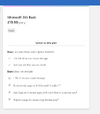
i just looked it up and said - not included , does say Microsoft basic - thats the only other choice on cancel process - very chead - but 100GB of storage not 1 tb
maybe be classic is different
 

Attachments

  • Screenshot 2026-05-07 at 09.37.53.png
    Screenshot 2026-05-07 at 09.37.53.png
    127.2 KB · Views: 11
I use external hard drives anyway, a left over from before One Drive, Cloud Storage, Drop Box, etc., was available, and laptop internal storage was limited, and always vulnerable.
Plus it's easily transportable between PCs and it's always available without internet access.
 
So do i , and had 2 fail on me recently which was not great - fortunalely i use 2 drives per machine for back and this was on of each - JUST FYI
Yes, I've had faults but they've always been repairable.
And I still the occasional backup to another external drive.
 
I used to use open office as I begrudged paying for something that was once free, however after emailing out invoices and estimates I found some people were unable to open them on their computers so I reverted to Microsoft.
Now I'm retired I would happily revert to open office.
From LibreOffice (or any other software in Windows) you can Print then select the "printer" named "Microsoft Print to PDF". This will save your document or whatever as a PDF file.

You should do this when using MS Office anyway, sending docx files just looks amateurish as they can't be opened by anyone who doesn't have software that can read it, i.e. an office suite. If you send PDF files then absolutely anyone on any OS with no software can read it, even on a phone.

I've been using LibreOffice for years, it's absolutely rock-solid and there's no reason to pay money to Microslop and have to put up with all their needless features that nobody uses.

 
From LibreOffice (or any other software in Windows) you can Print then select the "printer" named "Microsoft Print to PDF". This will save your document or whatever as a PDF file.

You should do this when using MS Office anyway, sending docx files just looks amateurish as they can't be opened by anyone who doesn't have software that can read it, i.e. an office suite. If you send PDF files then absolutely anyone on any OS with no software can read it, even on a phone.

I've been using LibreOffice for years, it's absolutely rock-solid and there's no reason to pay money to Microslop and have to put up with all their needless features that nobody uses.

They can open them as a .pdf.

1778149931744.png
 
What are you talking about? You can't open another filetype "as a .pdf", that makes zero sense.

You can't open a docx file without an app that can open one. This is more likely to be readable than a LibreOffice document, but it still requires additional software of some sort.

If you want to send documents to others then PDF is universally accepted as the format of choice, as it will open on pretty much any computer or phone. You can create a PDF from MS Office, LibreOffice, or absolutely any other software that has a Print option.
 
What are you talking about? You can't open another filetype "as a .pdf", that makes zero sense.

You can't open a docx file without an app that can open one. This is more likely to be readable than a LibreOffice document, but it still requires additional software of some sort.

If you want to send documents to others then PDF is universally accepted as the format of choice, as it will open on pretty much any computer or phone. You can create a PDF from MS Office, LibreOffice, or absolutely any other software that has a Print option.
1778151443961.png


1778151532197.png
1778151852904.png
 
Last edited:
Open Office is what I used all of the time when I was self employed. Never had an issue with invoices etc. Then again, I always printed them off and gave to customers...
 
A PDF file is basically the digital equivalent of printing.

It's also very good for privacy reasons, if you send your original file of whatever type then it may contain things you don't want the recipient to see such as hidden text, details of things you previously deleted or calculations such as your profit margin embedded in your spreadsheet calculations behind the scenes.

Also they could edit it or use it as the basis of their documents, e.g. your customer could send your special spreadsheet that calculates all your project costs to your competitor, which they could make use of in future.

A PDF is just a representation of what would have been sent to the printer if you'd printed it. With absolutely no data about how it got generated.
 
Before anyone says it, subscription models are NOT a way for companies to extract more £££ from you. I won't have anyone say that, ok?
 
I was looking at this as well over the weekend... Coming off a office 2016 single user licence was disappointed to see the subscription model for the latest.

However, I now bought Office 2024 for Mac for 13 quid or so via groupon voucher. The process looks dodgy (you get the license sent via file from another company), but works. Definitely cheaper than paying the full price for the same package from MS directly.
 
Back
Top