

I need to achieve this:
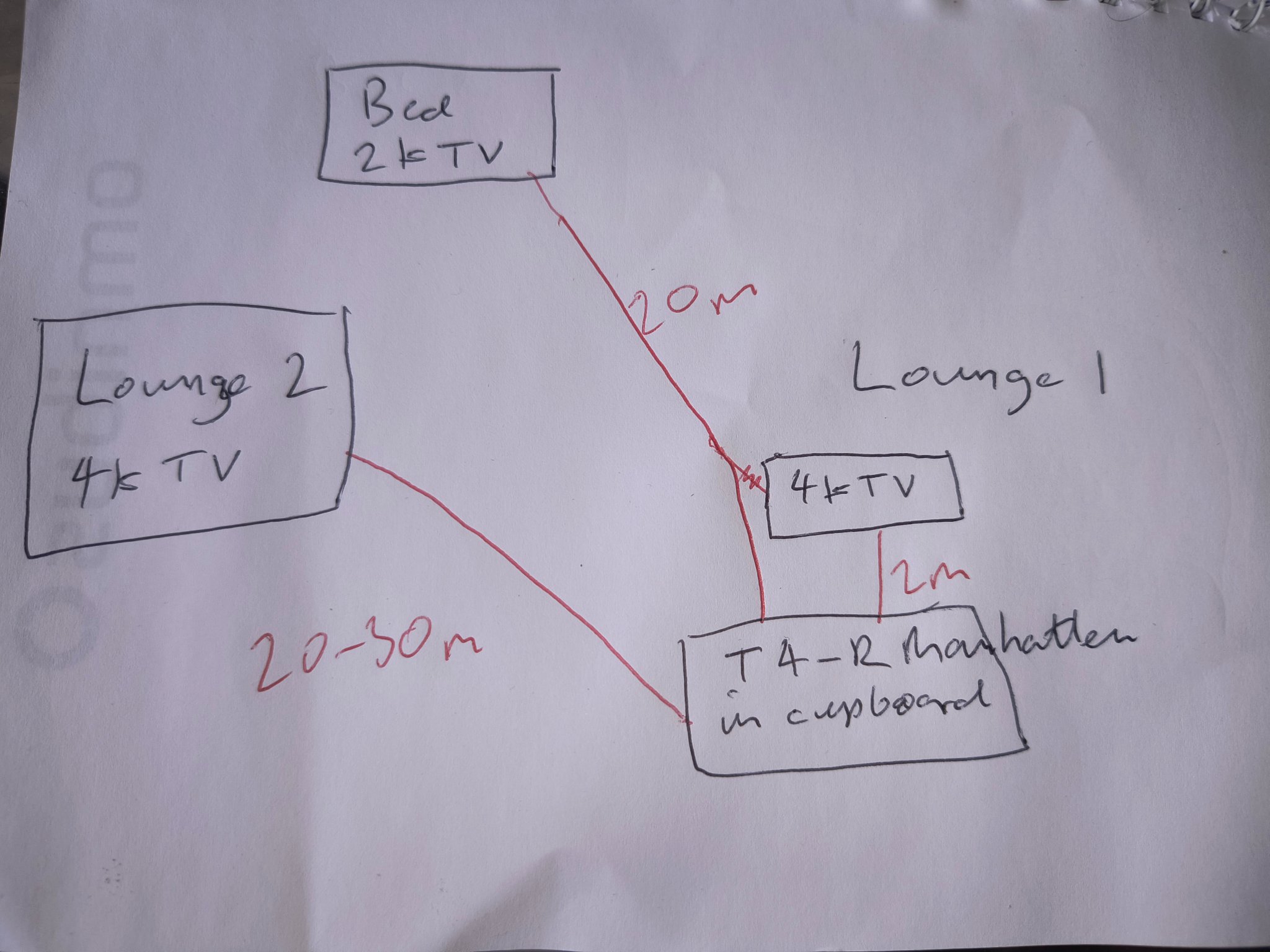
I originally thought a 1 in 4 out HDMI splitter and long HDMI cables but think I was barking up the wrong tree and I should be looking at splitter, adaptors and Cat 6 cables? I think I'm ok with the ir remote extenders (they'll plug into to adaptors).
These are about £30 each on eBay:
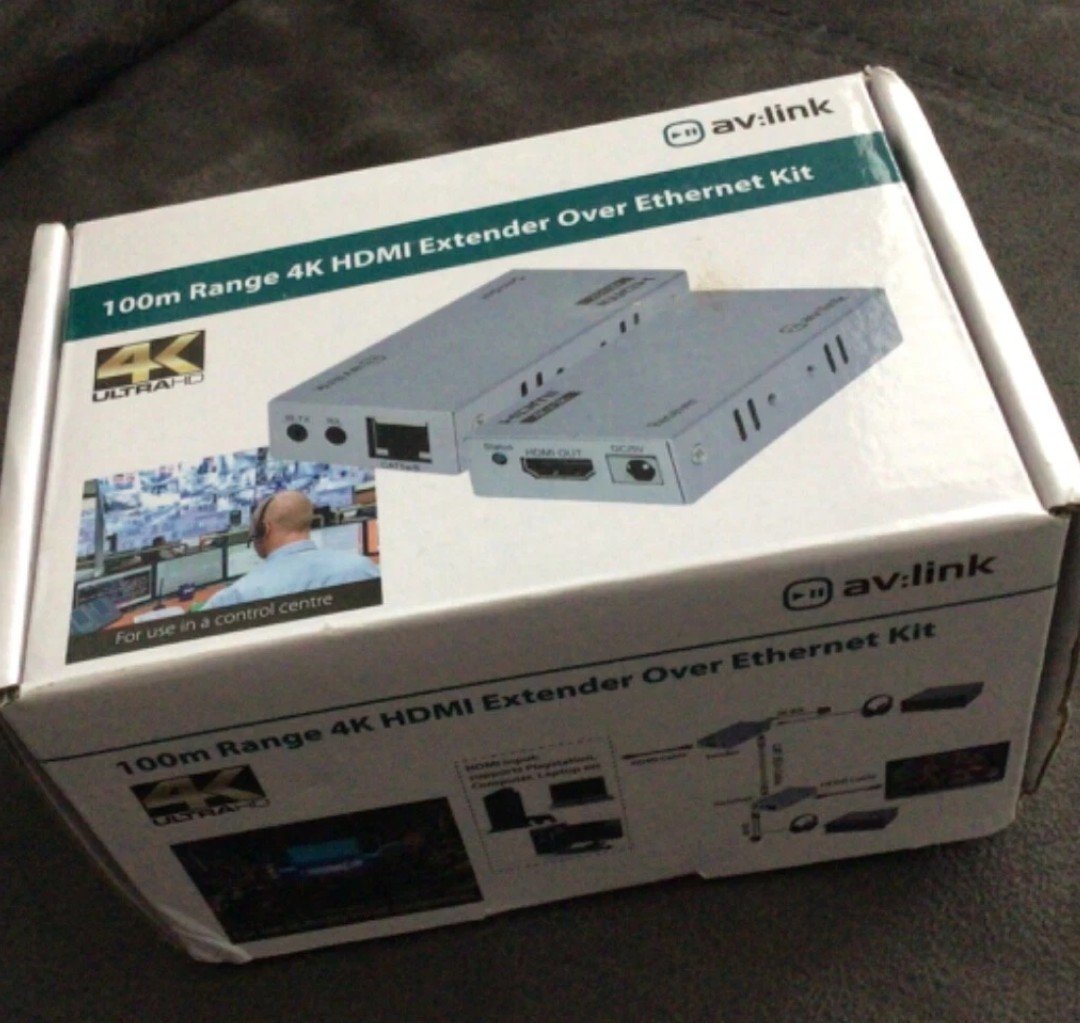
And this about £40:

The cables will need to run partially outside (about 5m) - will two cables with plugs, and a single WF100 fit in 20mm round pvc trunking?
Is there a particular spec of cable or just something "branded"?
I'm a complete novice so happy to be corrected etc (but unless I've overlooked something completely obvious probably not told "you don't want to do that" if it relates to piping round the Manhattan - which is so we can record and watch from any of the TV's, but never simultaneously).
Thanks
Edit - I think the run to the bedroom could come in at under 15m so could I get away with a hdmi for that? and would it go through the trunking?
I originally thought a 1 in 4 out HDMI splitter and long HDMI cables but think I was barking up the wrong tree and I should be looking at splitter, adaptors and Cat 6 cables? I think I'm ok with the ir remote extenders (they'll plug into to adaptors).
These are about £30 each on eBay:
And this about £40:
The cables will need to run partially outside (about 5m) - will two cables with plugs, and a single WF100 fit in 20mm round pvc trunking?
Is there a particular spec of cable or just something "branded"?
I'm a complete novice so happy to be corrected etc (but unless I've overlooked something completely obvious probably not told "you don't want to do that" if it relates to piping round the Manhattan - which is so we can record and watch from any of the TV's, but never simultaneously).
Thanks
Edit - I think the run to the bedroom could come in at under 15m so could I get away with a hdmi for that? and would it go through the trunking?


