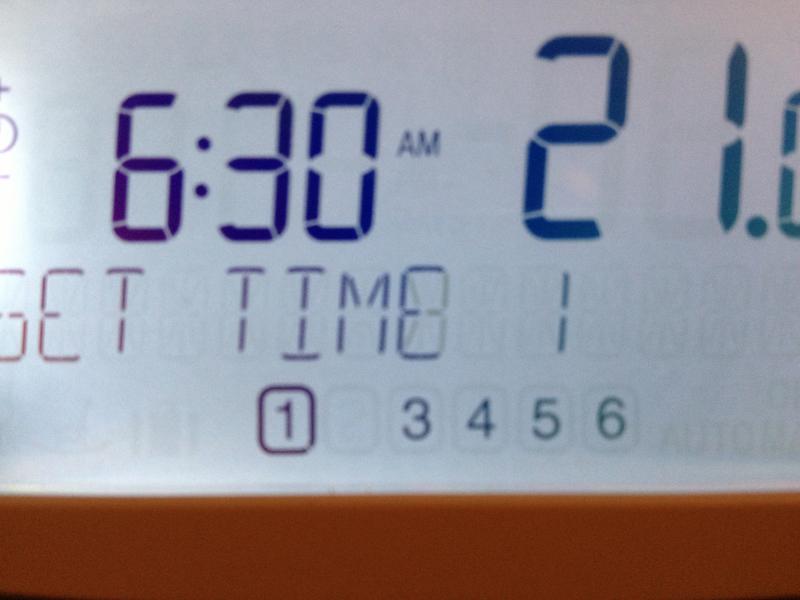
I'm not 100% sure as I have the CM927 but I think they're the same. Are you definitely going into Installer Mode not User Mode? To go into Installer Mode you have to press several buttons at once.
If you can't get 2 working could you use 3 instead, since you weren't planning to use it anyway?
AFAIK the only difference between 921 and 927 is 24 hour (1 day) versus 7 day programming.
Somewhere in the set-up process for the 927 is the ability to disable time periods. I'm certain that is the same on the 921.
That may be the case here, time period(s) disabled.
So you only have the User Instructions? You really need the Installer Instructions. This shows how you access/alter the other parameters.
If you slide the switch from Auto to Prog and then press the > button to go to position 2, does 'Disabled' appear on the screen? If it does, press the 'i' button and hold for a few seconds. 'Enabled' should then appear.
If you need to find a tradesperson to get your job done, please try our local search below,
or if you are doing it yourself you can find suppliers local to you.
Select the supplier or trade you require, enter your location to begin your search.
Please select a service and enter a location to continue...
Are you a trade or supplier? You can create your listing free at DIYnot Local