
Hisensne WD3 Washing machine drum not turning.

Joined
25 Jan 2006
Messages
498
Reaction score
1
Location
Manchester
Country
United Kingdom
Hey all.

My ex's/kids mother's waching machine is not currently working (I have the exact same model).

I went round last weekend to try and fix thinking it was likely the brushes (machine was filling etc but the drum wasn't turning.

I took the motor out and quickly realised (and had this confirrmed) that this machine doesn't use brrushes!!
I had a look at the filter at the bottom of the machine and that was clear so I'm at a loss as to how I can begin to fix this.

I suspect she'll need an engineer as it might be something to do with the circuitry (I won't have the tools or skills to diagnose I'd imagine...?)

Any tips or ideas before I advise her I can't fix this machine this time?

Thanks!

It's this model by the way (Hisense WD3):
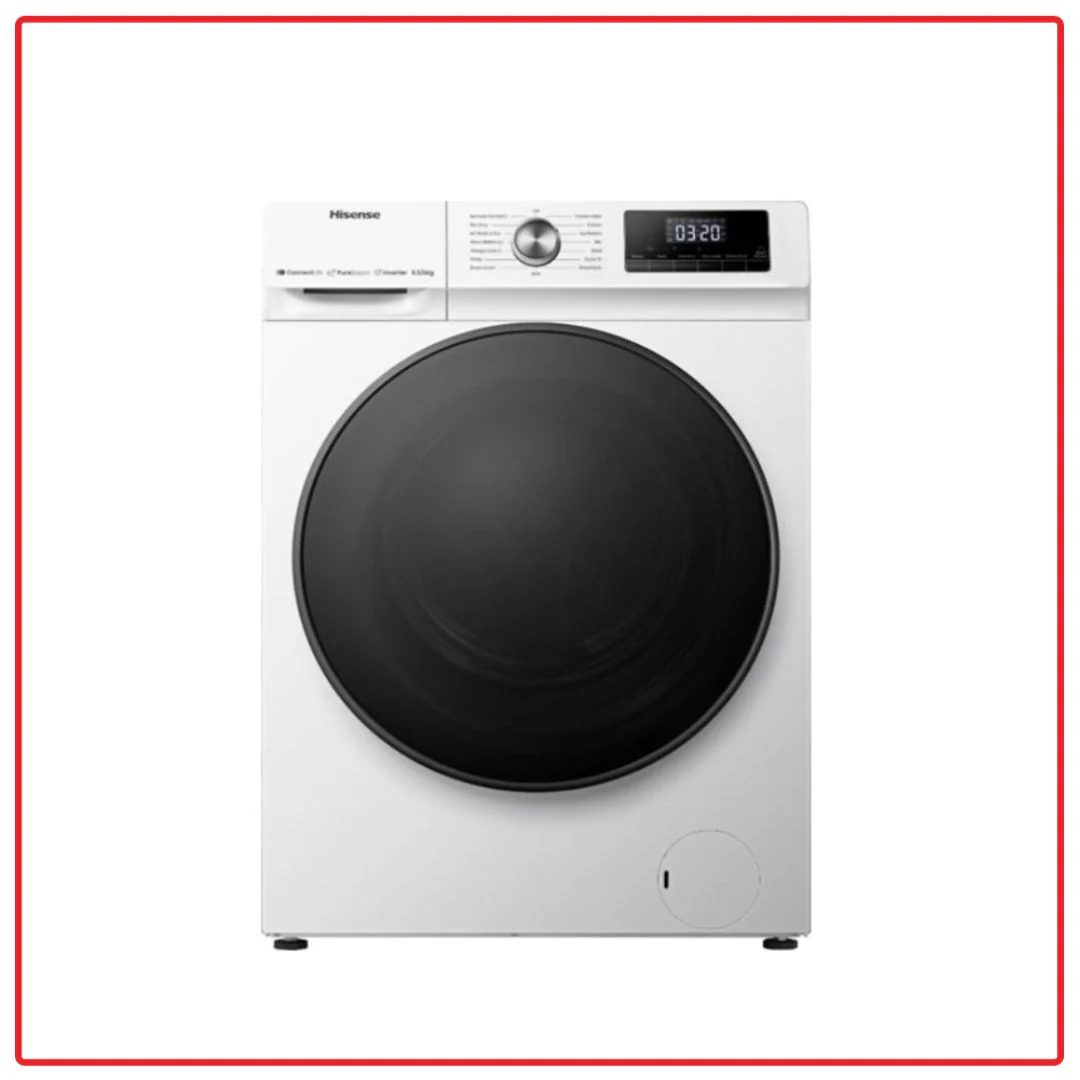
1782250155903.png
 
I guess you checked that there was no damage to belt and other drive components while you were checking for brushes. Was the drum free to turn by hand. Did the water drain ok. Are there any error codes. Is it the same in all modes.
 
On Hisense washing machines, the F08 error code typically indicates a motor, inverter, or heating circuit fault. Depending on your specific model, it often causes the machine to stop mid-cycle, refuse to spin, or fail to heat the water properly. [1, 2, 3, 4]
The most effective steps to troubleshoot and fix this issue include:

1. Hard Reset the Machine
Sometimes the error can be a temporary glitch in the control board.
  • Turn off and unplug the washing machine from the wall outlet.
  • Leave it unplugged for at least 10–15 minutes to fully discharge.
  • Plug it back in and try running a basic "Spin" or "Rinse" cycle to see if the error clears. [1, 2, 3, 4]

2. Check for Drum and Pump Blockages
If the drum cannot turn smoothly, the motor will fault out and trigger the F08 code. [1, 2]
  • Unplug the machine and check if the drum turns smoothly by hand.
  • Check for small items or clothing trapped between the drum and the door seal.
  • Remove and inspect the drain filter (located at the bottom front of the machine) to ensure there are no coins, hair, or debris blocking the pump. [1, 2, 3]

3. Inspect the Heating Circuit (If washer/dryer)
In many Hisense washer-dryers, F08 relates to the water heater or NTC (temperature) sensor failing to communicate. [1, 2]
  • Check the wiring leading to the heating element and the temperature sensor (NTC) at the bottom/back of the tub to ensure no wires are loose or burnt. [1, 2]
  • If you are comfortable using a multimeter, test the heating element for continuity (it should have a low resistance) and the thermistor for correct ohm values. [1, 2]

4. Inspect the Motor and Inverter Board
Because modern Hisense machines use brushless inverter motors, "F08" is much more likely to be a board or sensor fault rather than worn-out carbon brushes. [1, 2]
  • Ensure the wiring harness connecting the motor to the inverter board is securely plugged in.
  • Check the inverter/main control board for signs of visible damage, burn marks, or blown components. [1, 2]
 
Thanks for this.
I have performed the hard reset but haven’t tried the rinse/spin cycle (just tried a 15 min wash).

Checked the bottom right filter and although there was a bit of leakage the filter was pretty clear (cleaned it anyway).

The wiring all looked fine (everything looks ‘brand new’) and the machine isn’t that old. One of the reasons I felt it may have been worn brushes.


IMG_5954.jpeg
 
If you have a multi meter disconnect the leads to the heater element and check for continuity (step 3 above)
Is it quite obvious which theee leads are attached?

I’ve put it all back together but will head over at the weekend and take another look.

I do have a multimeter but it’s been so long since I’ve used one I cannot n remember how to use it!!

Set it to resistance and take it from there?

Thanks!
 
Yes, there will be either 1 wire to each terminal and one to the element body (earth) or 2 wires together on one side and one on the other. Just replace them in the same order as you remove them. Taking a pic before you start might be a good idea. Depnding on your meter you will get a low reading if it is ok or nothing if it is open circuit. Don't forget to short the probes together before you start so you know that you can measure continuity and the batteries haven't gone flat.
 
Ahh, I understand.

So literally a case of unscrewing the wires (if that's how they're attached) on that bottom circuit section from the motor above?

In the pic I posted I presume it's the cables in the plug (white, yellow etc) rather than the blue and black which look soldered to the board?

Then check each wire individually for continuity? Apols if these are basic questions - it's been a while since I;ve done stuff like this!

And if there's on continuity might it be a case of buying a new bottom power unit (which *may be cheaper than a new machine?)

Thank you!
 
If the machine isn't that old, how old is it?
Is it totally out of all warranty period?
 
You need to find the full model number and check that something like this is the correct part.
You need to check the element for continuity across the 2 outer termiinals not the wiring to them.
It appears that the NTC sensor is built into the element if it is the same as the one in the link and you need to test that by one of the methods below

 
If the machine isn't that old, how old is it?
Is it totally out of all warranty period?
Good point - I'm not actually sure but I'll ask over the weekend.
I'd say at least 2 years, possibly longer.

You need to find the full model number and check that something like this is the correct part.
You need to check the element for continuity across the 2 outer termiinals not the wiring to them.
It appears that the NTC sensor is built into the element if it is the same as the one in the link and you need to test that by one of the methods below


I did photograph the model number so I'll dig that out,

Would be ideal if it's just that at fault (and presumably somerthing than can be removed fairly easily?).

I'll have a good look over the weekend but thanks for this help!
 
Good point - I'm not actually sure but I'll ask over the weekend.
I'd say at least 2 years, possibly longer.

You could try ringing their customer support and see if you can charm them into repairing it, or at least letting you speak to an engineer.

Years ago I had a problem with a Miele washing machine. I phoned them. Over the phone they diagnosed it as being a PCB failure. I pointed out that it was less than 2 years old and that I expected their machines to last 15 years or more. The guy on the phone confirmed that they are designed to last that long. I asked him if he was willing to send me a new PCB for free. He told me that I would have to pay for an engineer visit and that the engineer would fit the new PCB and then decide how much I need to pay. I reminded him that it was only a couple of years old. I told him that in terms of total ownership, it would have been cheaper to buy and bin a cheap washing machine every couple of years. I managed to wear him down so much that if he said it was less than (from memory) 19 months old (an arbitrary number he plucked out of his azz) , and, If I had the invoice, the engineer would replace the PCB for free. I genuinely could not find the email with the invoice. I built a fake white goods website (with a really pants logo), printed a fake invoice from the fake company that was no longer trading and never existed. The engineer, attached his PC to the washing machine- presumably, he could see the date of manufacture and other metrics such as the number of wash cycles. He briefly glanced at the invoice and fixed the WM for free. It cost me about £3.49 for the domain name and 15 minutes of my time.

These days, "reaching out" to a firm via social media (eg Twitter) can, on occasion, reap rewards- not always though.
 

If you need to find a tradesperson to get your job done, please try our local search below, or if you are doing it yourself you can find suppliers local to you.

Select the supplier or trade you require, enter your location to begin your search.


Are you a trade or supplier? You can create your listing free at DIYnot Local

 
Back
Top