Currently got three wall cameras which worked fine, all just plugged into the NVR and using a screen and mouse (no PC involved) all seem to have work including on the hikvision app.
I bought the DS-KV6113-WPE1(C) doorbell camera, and can’t seem to set it up.
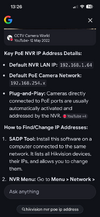
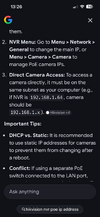
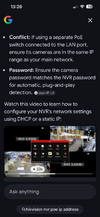
Watch loads of videos, so downloaded SADP tool, where I can see the camera but when I use the DHCP it doesn’t do anything to find a new IP address. I manually put in an IP address (the next number along, in line with the other three cameras). It then says to double click the IP address which takes you to the hikvision web access, but doesn’t. But in fairness if I double click one of the other three cameras they don’t too.
I then downloaded ivms-4200 as per what the videos were saying.
I can see the other three cameras, but not this one.
If I go back to just using the screen again, I can see the other three cameras but not this one.
I’ve been trying all day and getting nowhere, is there anything else I can try?
Thanks
I bought the DS-KV6113-WPE1(C) doorbell camera, and can’t seem to set it up.
Watch loads of videos, so downloaded SADP tool, where I can see the camera but when I use the DHCP it doesn’t do anything to find a new IP address. I manually put in an IP address (the next number along, in line with the other three cameras). It then says to double click the IP address which takes you to the hikvision web access, but doesn’t. But in fairness if I double click one of the other three cameras they don’t too.
I then downloaded ivms-4200 as per what the videos were saying.
I can see the other three cameras, but not this one.
If I go back to just using the screen again, I can see the other three cameras but not this one.
I’ve been trying all day and getting nowhere, is there anything else I can try?
Thanks