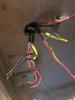
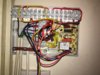
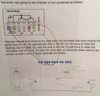
Disconnect the old thermostat cable (I assume that is RTS) completely from the wiring centre. Then, either add a link to join the terminals where the Red and Yellow wires have just been removed from together. Or simply move the brown wire from terminal 2 to 3 which does the same thing.
The blue neutral, and earth wires are simply disconnected.
That will then leave you with a cable that isn't connected to anything at either end. You can then use that cable to connect the Heat Link terminals T1 & T2 to the corresponding terminals at the thermostat.
If you need to find a tradesperson to get your job done, please try our local search below,
or if you are doing it yourself you can find suppliers local to you.
Select the supplier or trade you require, enter your location to begin your search.
Please select a service and enter a location to continue...
Are you a trade or supplier? You can create your listing free at DIYnot Local