• Looking for a smarter way to manage your heating this winter? We’ve been testing the new Aqara Radiator Thermostat W600 to see how quiet, accurate and easy it is to use around the home. Click here read our review.

Moving fibre router

Joined
22 Sep 2025
Messages
2
Reaction score
0
Country
United Kingdom
Hi. Our fibre router is in cupboard under the stairs. This is where master socket is and where fibre optic cable enters the house.
Our speeds can struggle at times and I'm hoping if router is moved outside the cupboard it may help.
Can the fibre cable either be extended or changed completely?
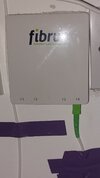
 

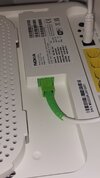
Attachments

  • 20251116_230844.jpg
    20251116_230844.jpg
    198.6 KB · Views: 36
  • 20251116_230855.jpg
    20251116_230855.jpg
    180.6 KB · Views: 37
First test your speed off your internet.

If that's ok buy a mesh WiFi kit.
You could move it but you may have many devices connected and a mesh kit will get everything connected at good speeds.
 
Better replace the existing with a longer fibre cable than extend as every coupler introduces losses and reflections. If you decide you want to move the router, the cables are not expensive. You need to be carefull of minimum bend radius so as not to damage the cable. A 10m cable is about £14 including a coupler, which gives you the option to extend or replace.

It may take a short while to re-train to the new signal level.

A mesh system is easier to install, but rather more expensive.
 
Our speeds can struggle at times and I'm hoping if router is moved outside the cupboard it may help.

Assuming you mean - difference to the wifi signal, and it's coverage, moved just outside the cupboard, then the improvement would be minimal. If it's an under stair cupboard, and the router were moved to a position, above, on the landing, then the usability, and coverage generally could improve dramatically, due to the better vantage point.
 
As I see it, NO you do not need to touch the fibre cable at all, that terminates in what is called an ONT (google it).
Out of that you have an ethernet cable that goes into your router and then out of your ONT is an ethernet cable that goes to your router.

It is your router that gives you the wifi signal (I assume that WIFI is your problem, you have not said), having your router under the stairs can reduce the signal strength in other rooms.

In order to improve this you only need to purchase a new CAT6 ethernet cable, long enough to place the router somewhere more open and central.
It should not be placed next to any large metal objects (fridge, behind tv, radiator etc.)'

Then your wifi may improve, you can test this for as little as a fiver/tenner (depending on the length and quality of the ethernet cable you buy).

Leave the fibre cable as it is (screw that up and you ISP will bill you to repair it).
 
The OP's router model is optical fed (nnnn-g-A = RJ45 nnnn-g-B = optical) so whilst it would still be a good idea to move it for greatest reception, there are limitations on fitting a new longer fibre optic cable to the required place, no kinks, no small or tight bends no trapping, probably no cable clips.

The other alternative is to get a "wi-fi repeater" and use one of the RJ45's out to feed it, same signal, same passwords etc. and a bit easier to cable as not quite so demanding. I'm using a couple of TP-Link ones, 1 is wifi connected as its close & 1 is cable fed and they work well, other makes are available.
 
I moved my router to a different room using this:


It's a 10m fibre optic cable and a coupler. Obviously any bends on the fiber have to be gentle, but I saw no decline in my speed (300Mbps down / 50Mbps up). It's been like it for just over 2 years and no probs. I had to extend the cable, I couldn't replace it as the other end went into the openreach box outside.
 

If you need to find a tradesperson to get your job done, please try our local search below, or if you are doing it yourself you can find suppliers local to you.

Select the supplier or trade you require, enter your location to begin your search.


Are you a trade or supplier? You can create your listing free at DIYnot Local

 
Back
Top