
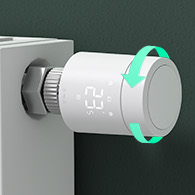
• Looking for a smarter way to manage your heating this winter? We’ve been testing the new Aqara Radiator Thermostat W600 to see how quiet, accurate and easy it is to use around the home. Click here read our review.

Post photos to DIYNOT without URL?

GRC

Joined
2 Dec 2004
Messages
342
Reaction score
12
Country
United Kingdom
I've tried to post photos a couple of times, but the forum software asks for a URL - at the moment, I don't have personal webspace, so ;

Is there an alternative way of posting photos to these forums?

Regards, Graham
 
Hi Graham
1) You will need to set up an account with www.photobucket.com
2) Create a username and password and I think you have to enter an active Email address to receive instructions from there.

When you want to insert a pic into a thread, go to photobucket and navigate to this page;
Iststep.bmp

click on browse and select the pic from your; My Documents/ My Pictures. When it has loaded, click on submit. Wait for a while, your pic will then be stored in My Album with photobucket.
Scroll down to Photos (just below account options)
2ndstep.bmp

Highlight the Img (the section shaded blue) Right click--- select copy---come back to your composition box---right click and select paste.
Hopefully I've explained it OK. Try it before you start callin' me a ####
 
Sounds good. I wouldn't DARE to call you a #### ... you're a ****, of course!

Regards, Graham
 
Back
Top