- Joined
- 5 Sep 2025
- Messages
- 4
- Reaction score
- 0
- Country

Hi folks,
Hopefully someone can help, for the life of me cant work this out. I've recently moved into new prpoerty which has a Texecom Elite 24 system installed.
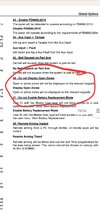
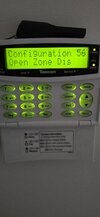
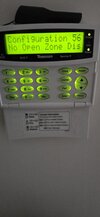
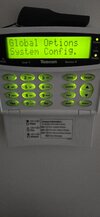
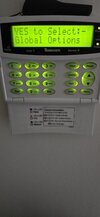
All is working fine, and the remote access app is working great. On the keypad it has the date and time showing, but when a person walk in front of a sensor and activates it, it shows up on the keypad "Z001 ACTIVE HALL" as an example. Is there a way to disable this from being shown? My understanding is just the date/time is normaly dispayed on the keypad, without the zones flashing up everytime the sensor is activated.

Hopefully someone can help, for the life of me cant work this out. I've recently moved into new prpoerty which has a Texecom Elite 24 system installed.
All is working fine, and the remote access app is working great. On the keypad it has the date and time showing, but when a person walk in front of a sensor and activates it, it shows up on the keypad "Z001 ACTIVE HALL" as an example. Is there a way to disable this from being shown? My understanding is just the date/time is normaly dispayed on the keypad, without the zones flashing up everytime the sensor is activated.